Not Important
Simplifying Airport Navigation
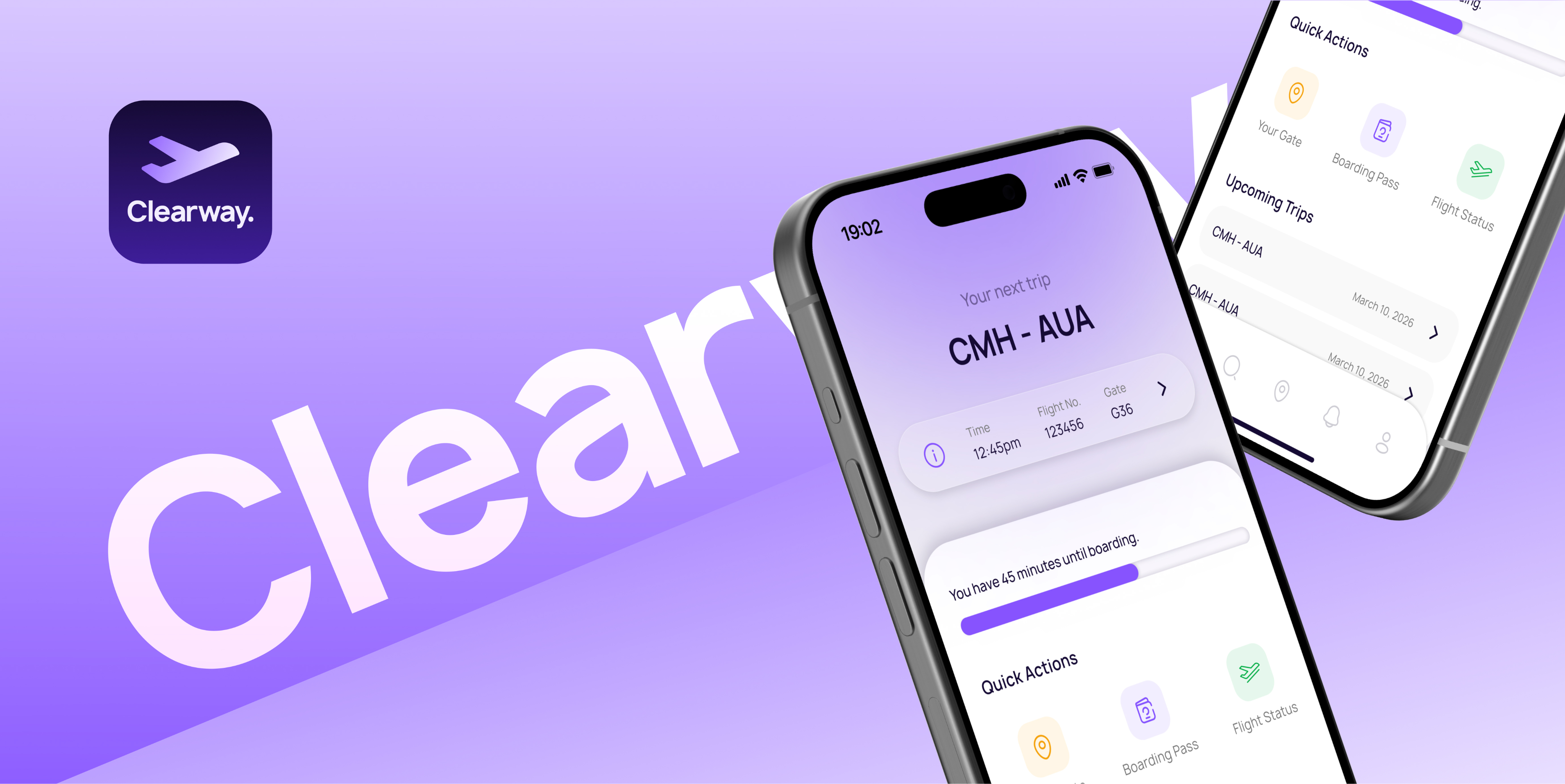
Clearway is an app designed to simplify navigation and reduce cognitive load throughout the airport experience.
Role
Lead UX/UI Designer
Timeline
6 weeks
Tools
Figma, Adobe Suite
Team
UX/UI Designer
Overview
Understanding the challenge.
Airports require travelers to make frequent decisions under time pressure while navigating unfamiliar environments. When important information like directions, boarding updates, and timing cues is spread across multiple sources, cognitive load increases and confidence decreases.
This challenge presented an opportunity to design a solution that provides clear guidance and real-time support throughout theairport journey.

Reducing traveler stress and decision fatigue

Unify digital and physical wayfinding

Increase traveler confidence and independence
Background
Measurable impact.
Existing studies and industry data on airport navigation, crowding, and passenger stress highlight key traveler pain points. These insights inform the design decisions behind Clearway.
45%
of U.S. airport travelers find crowds, noise, and environment stressful.




71%
of passengers use mobile apps to book travel, and many want consolidated information in one place.
39%
of U.S. travelers report being very satisfied with in‑airport navigation.

User Research
Defining traveler needs.
Understanding traveler behaviors and pain points was key to identifying the most important user needs. By analyzing common challenges experienced throughout the airport journey, clear patterns emerged that informed the priorities behind Clearway’s design.
Traveler Types
First Time
Unfamiliar with airports and easily lost of confused
Anxious
Sensitive to crowds and needs clear steps and information
International
Not accustomed to typical procedures, may need visuals
Business
Tight schedules, need quick updates, and favor efficiency

Based on these traveler types and their challenges, three core user needs emerged. These needs directly informed and prioritized the design decisions behind Clearway.
User-Informed Action Items
Simple, actionable instructions for every stage of their journey, from arrival to boarding, so they feel confident and in control.
Real-time information about gate changes, delays, and security to make informed decisions and avoid last-minute stress.
A clean, intuitive experience that minimizes cognitive load and reduces anxiety, especially for first-time or international flyers.
Competitor Analysis
Analyzing product competitors.

Flight Aware
Tracks flights in real time and provides updates for passengers.
- Live flight tracking and delay alerts
- Notifications for gate changes and arrival times

Google Maps
Provides basic indoor maps and directions inside major airports.
- Step-by-step walking directions inside terminals
- Real-time information integrated with Google Flights
Task mapping
Mapping design opportunities.
Breaking down the traveler journey into individual tasks revealed moments of confusion, stress, and urgency. Mapping these steps helped identify key opportunities where Clearway could simplify decisions and provide timely guidance.
Step 1
Arrive at Terminal
Medium Urgency
Environment
Crowded entrance, check-in counters
Challenges
Finding correct terminal
Emotions
Nervous, slightly stressed
Thoughts
"Where do I go first?"
Design Opportunity
Step-by-step visual guidance through airport, simple explanations of common processes
Step 2
Security Chekpoint
High Urgency
Environment
Line, scanners, loud announcments
Challenges
Confusing process, long wait
Emotions
Anxious, impatient
Thoughts
"Will I make it through quickly?"
Design Opportunity
Timed alerts for wait times and announcements, calming interface to soothe stress
Step 3
Walk to Gate
High Urgency
Environment
Long corridor, multiple signs
Challenges
Unclear signage, crowded pathways
Emotions
Rushed, overwhelmed
Thoughts
"Am I going the right way?"
Design Opportunity
Smart crowd-aware routing using visuals, clear wayfinding to designated destination
Step 4
Gate Arrival & Boarding
Very High Urgency
Environment
Gate area, seating, announcements
Challenges
Gate changes, last-minute boarding calls
Emotions
Relieved, alert, ready
Thoughts
"I hope they don't call my gate late."
Design Opportunity
Real-time gate updates, boarding notifications and updates
Prioritization
Prioritizing key features.
To focus on the most impactful functionality, potential features were evaluated based on urgency and importance. This prioritization helped identify which capabilities would deliver the greatest value to travelers while supporting Clearway’s core goals.
Important & Urgent
- Step-by-step guidance
- Real-time flight updates
- Clear maps and walking directions
- Crowd-aware routing
- Calm interface for anxious users
Important & Not Urgent
- Personalization
- Access to lounges, restaurants, and other services
Not Important & Urgent
- Push notifications for non-critical services
- Minor flight-related alerts
Not Important & Not Urgent
- Optional cosmetic themes
- Minor visual customizations
The Solution
Introducing the solution.
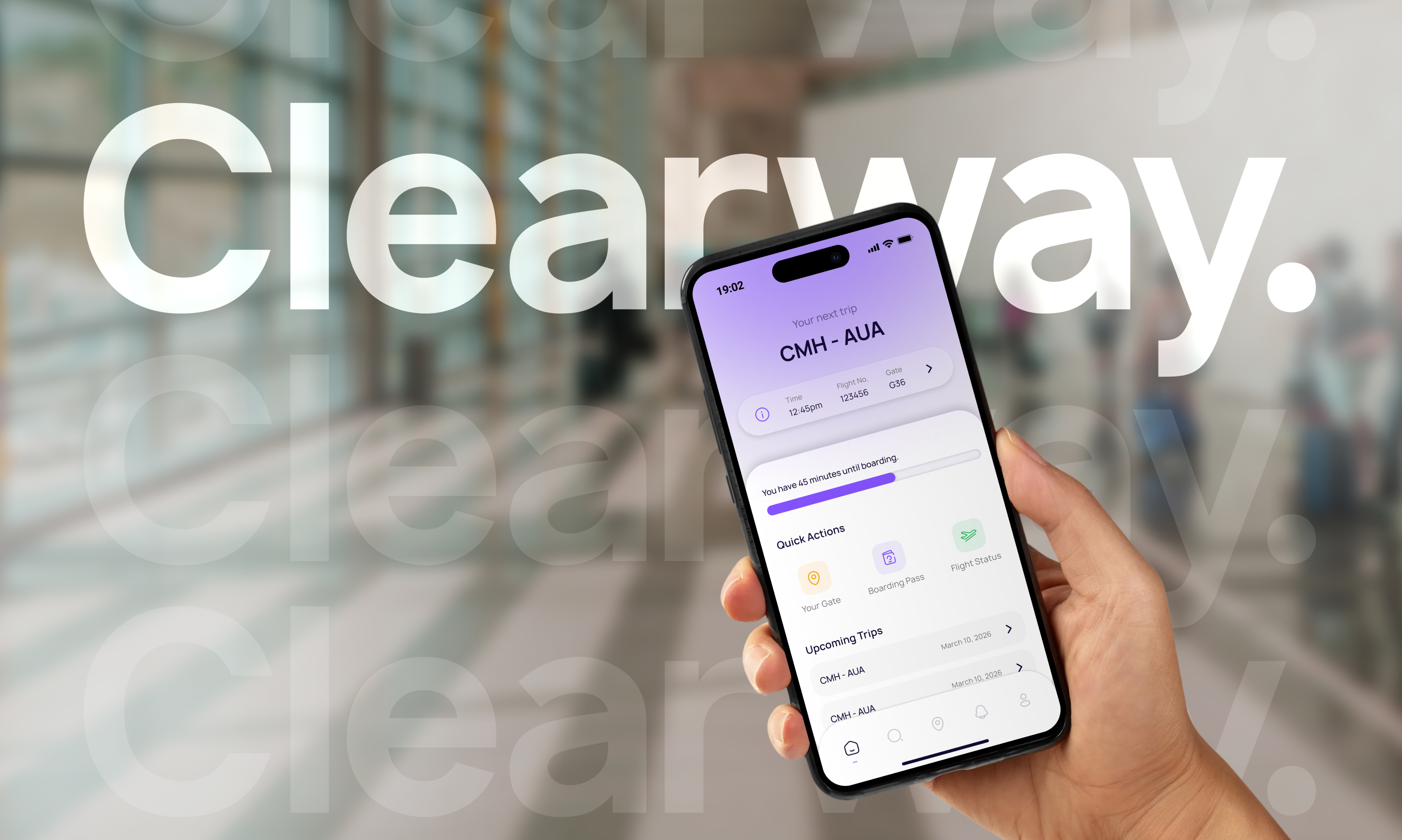
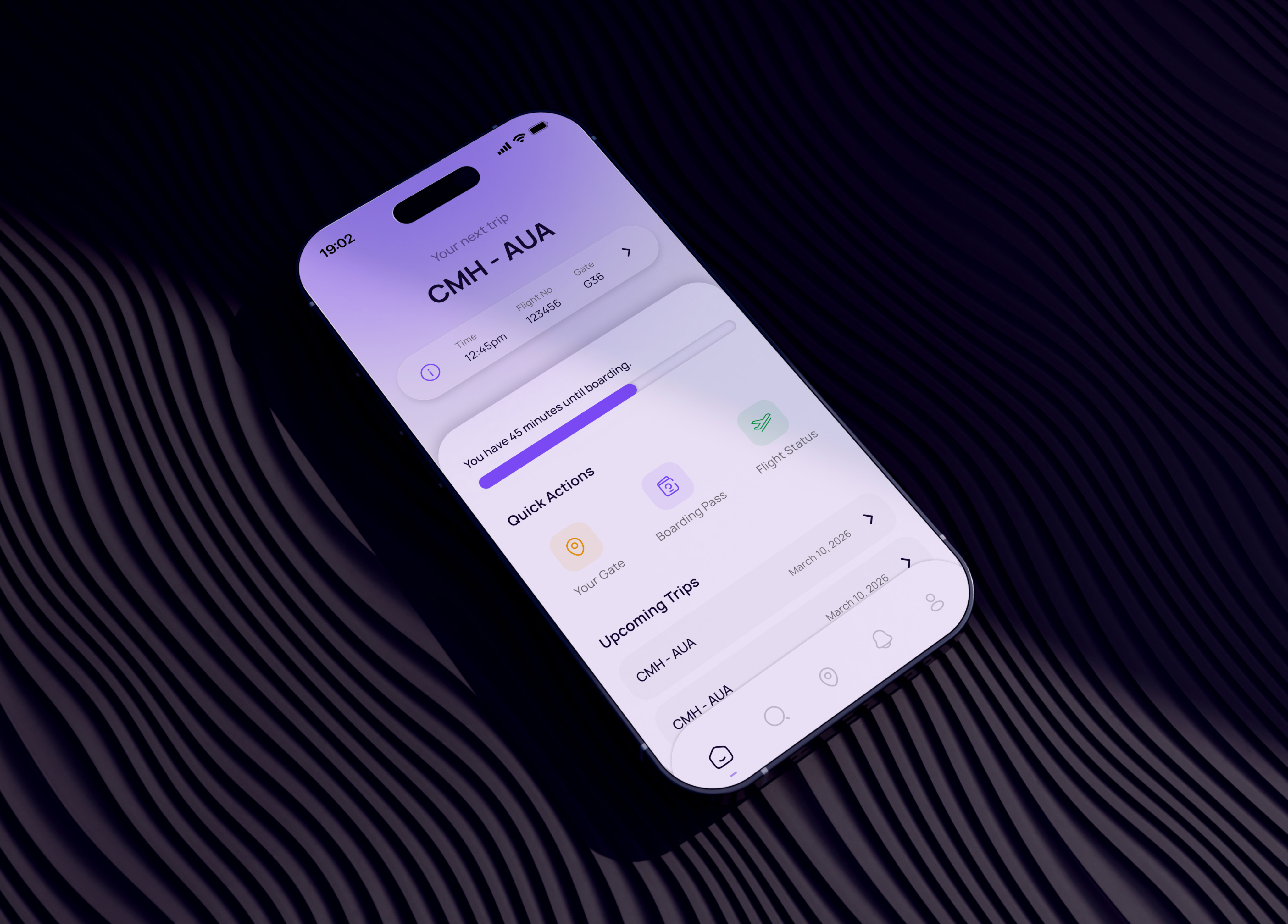
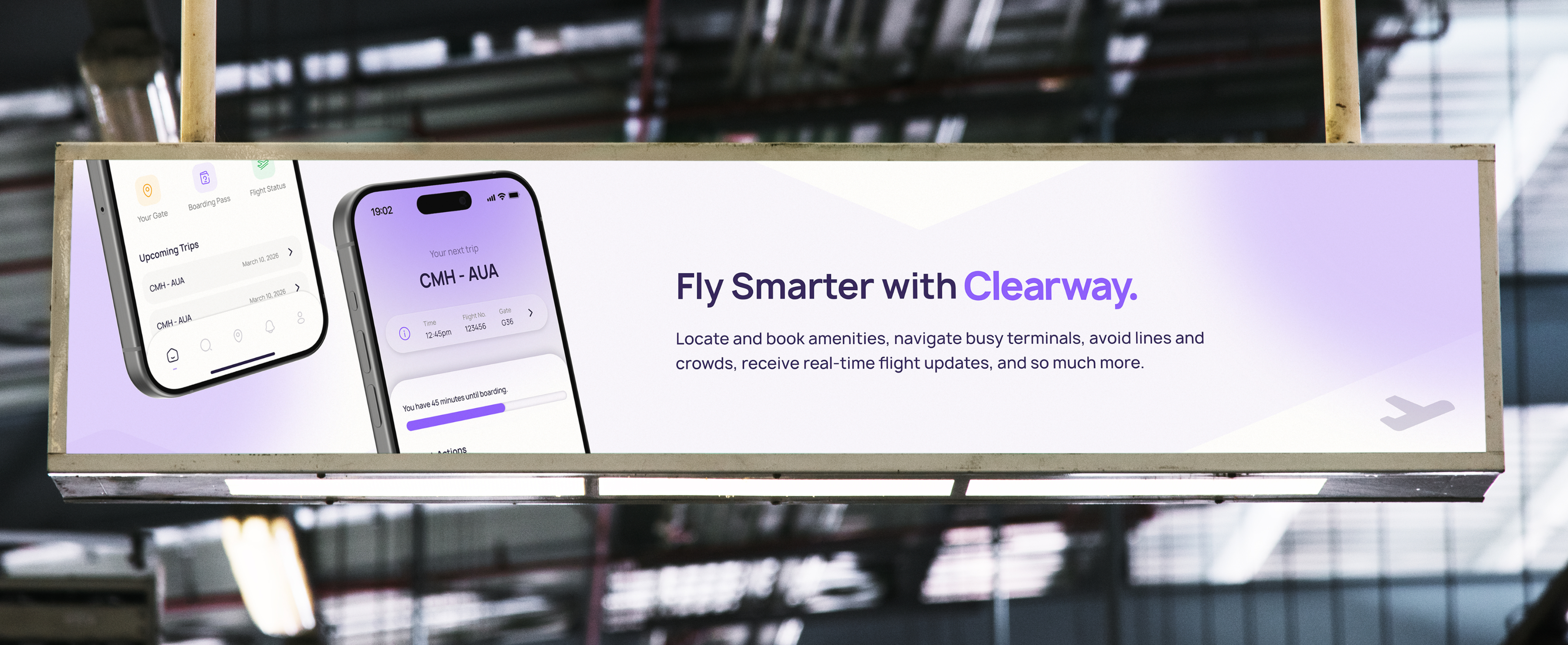
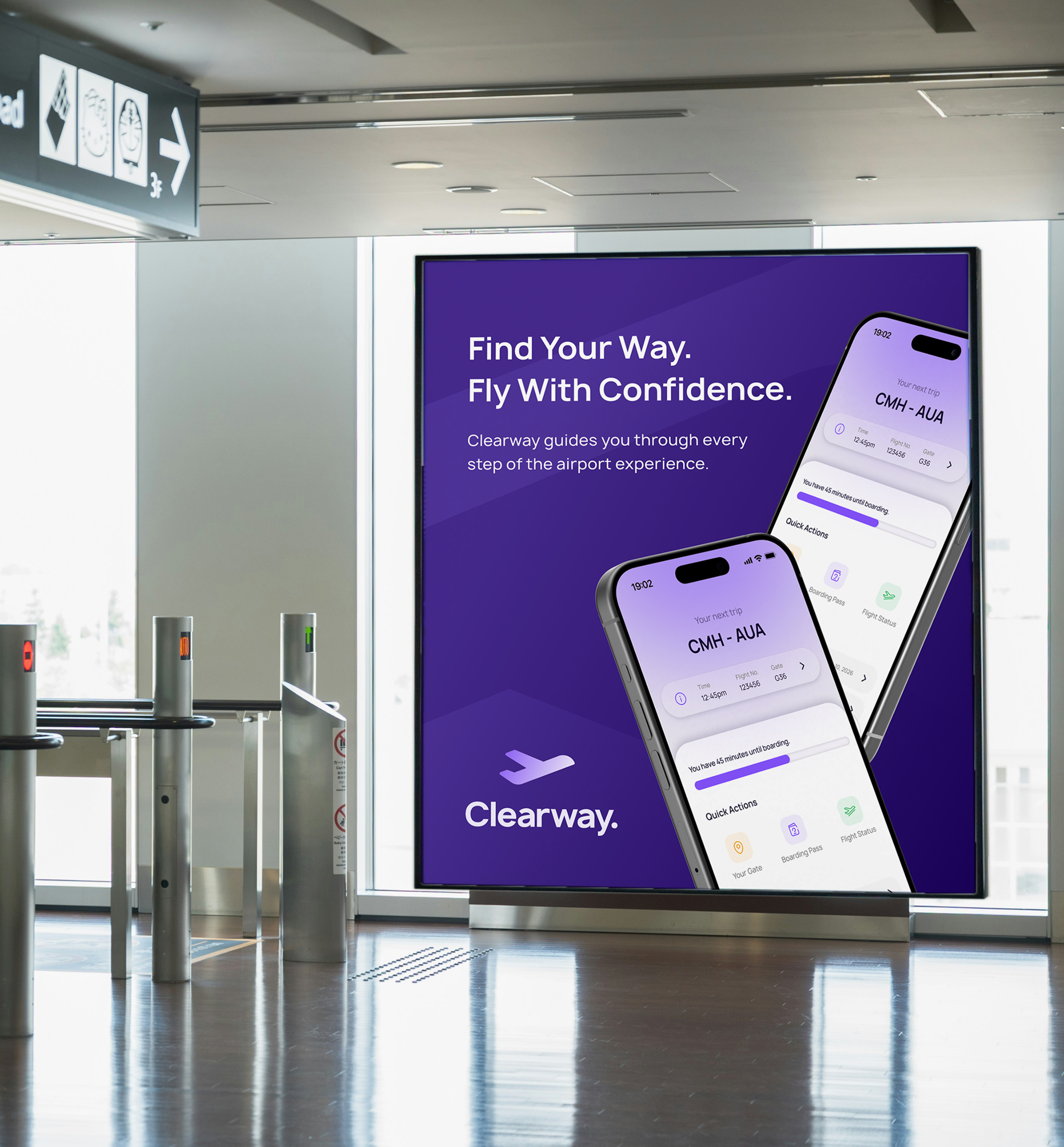
Clearway is designed to simplify airport navigation and reduce cognitive load throughout the travel experience. The following features demonstrate how the app provides clear guidance, real-time updates, and a calmer journey through the airport.
Designing for clarity.
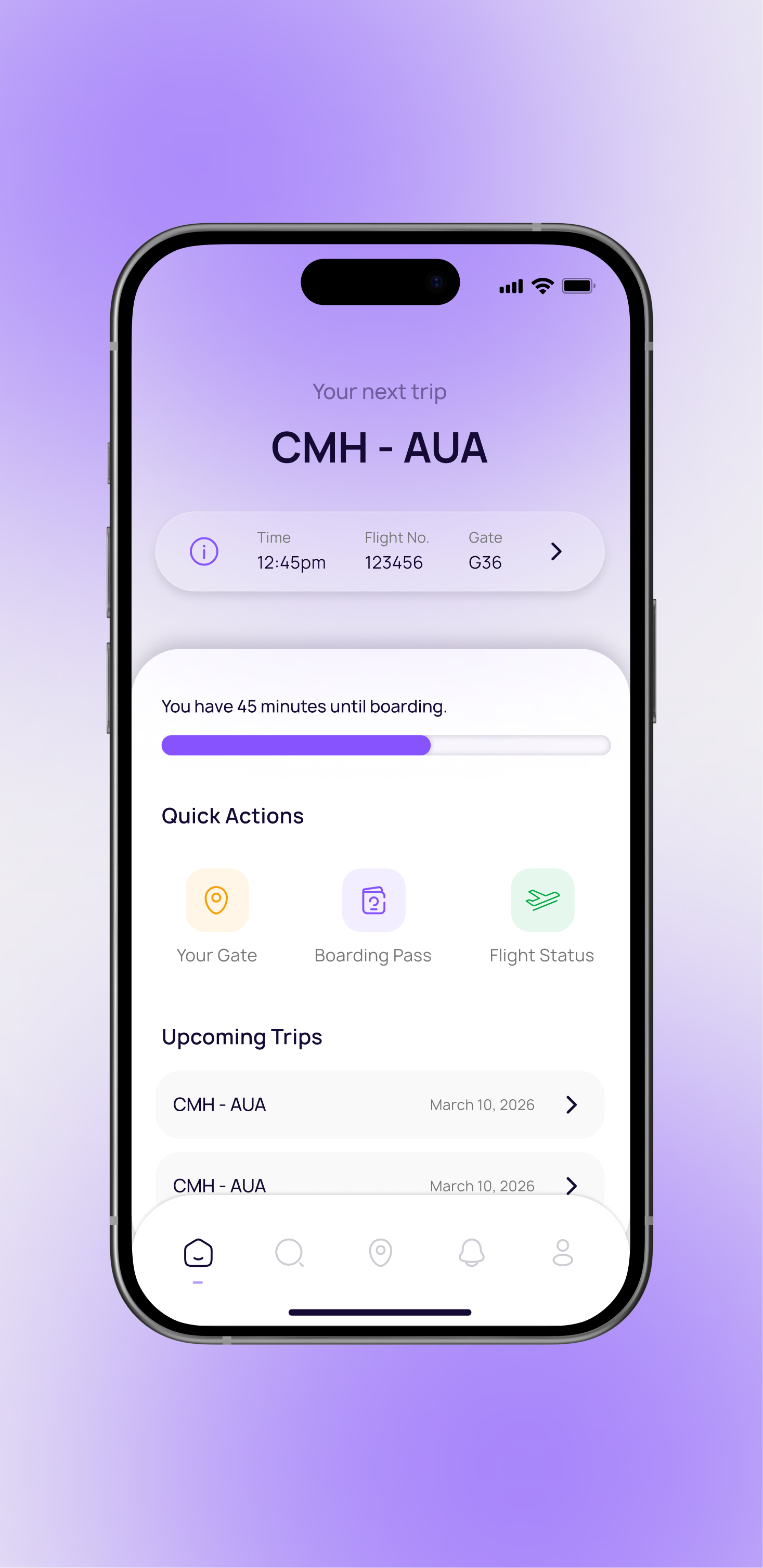
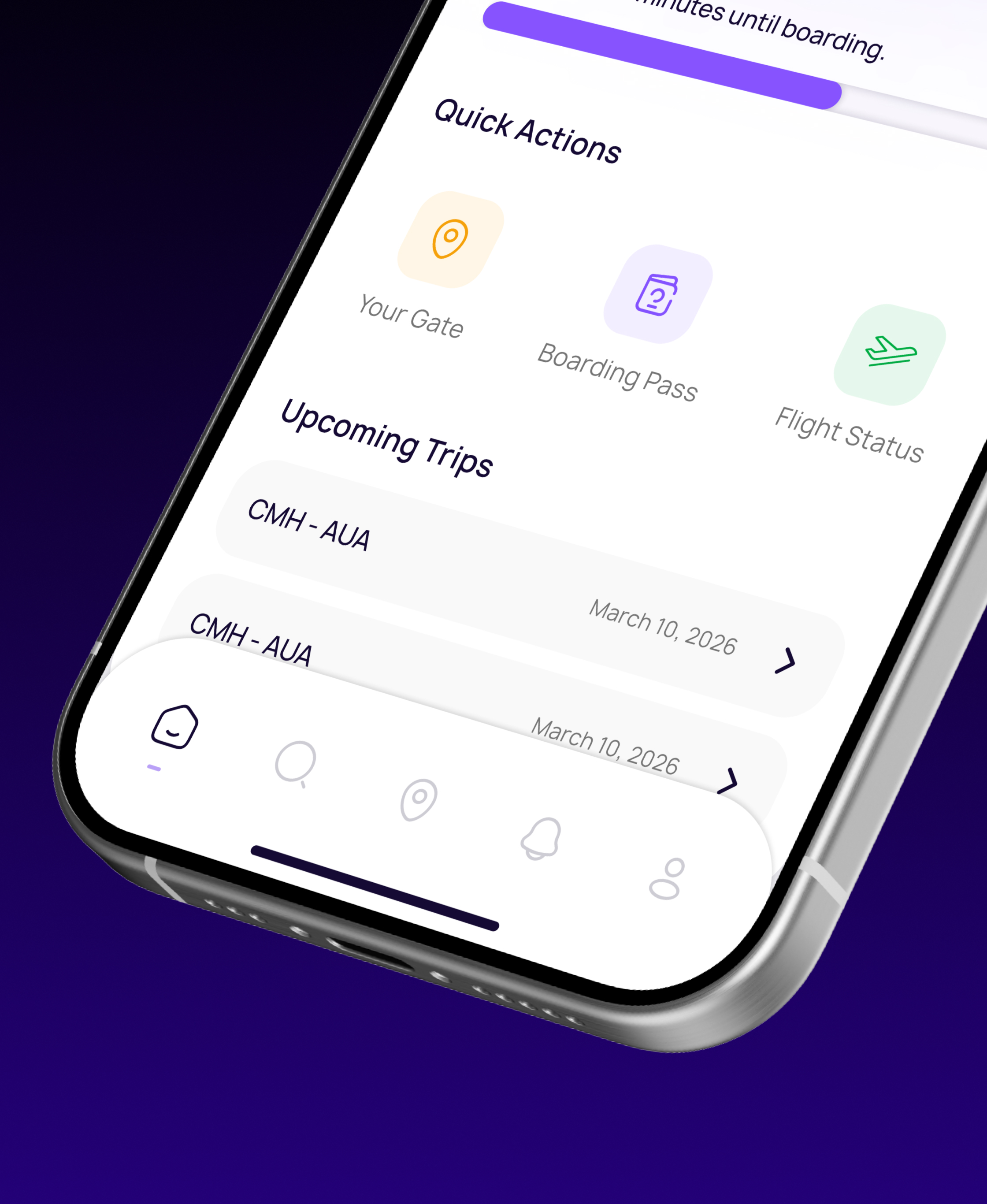
The interface is intentionally minimal and structured, keeping critical information visible while eliminating unnecessary visual noise. Every element supports faster decisions and calmer movement through the airport.
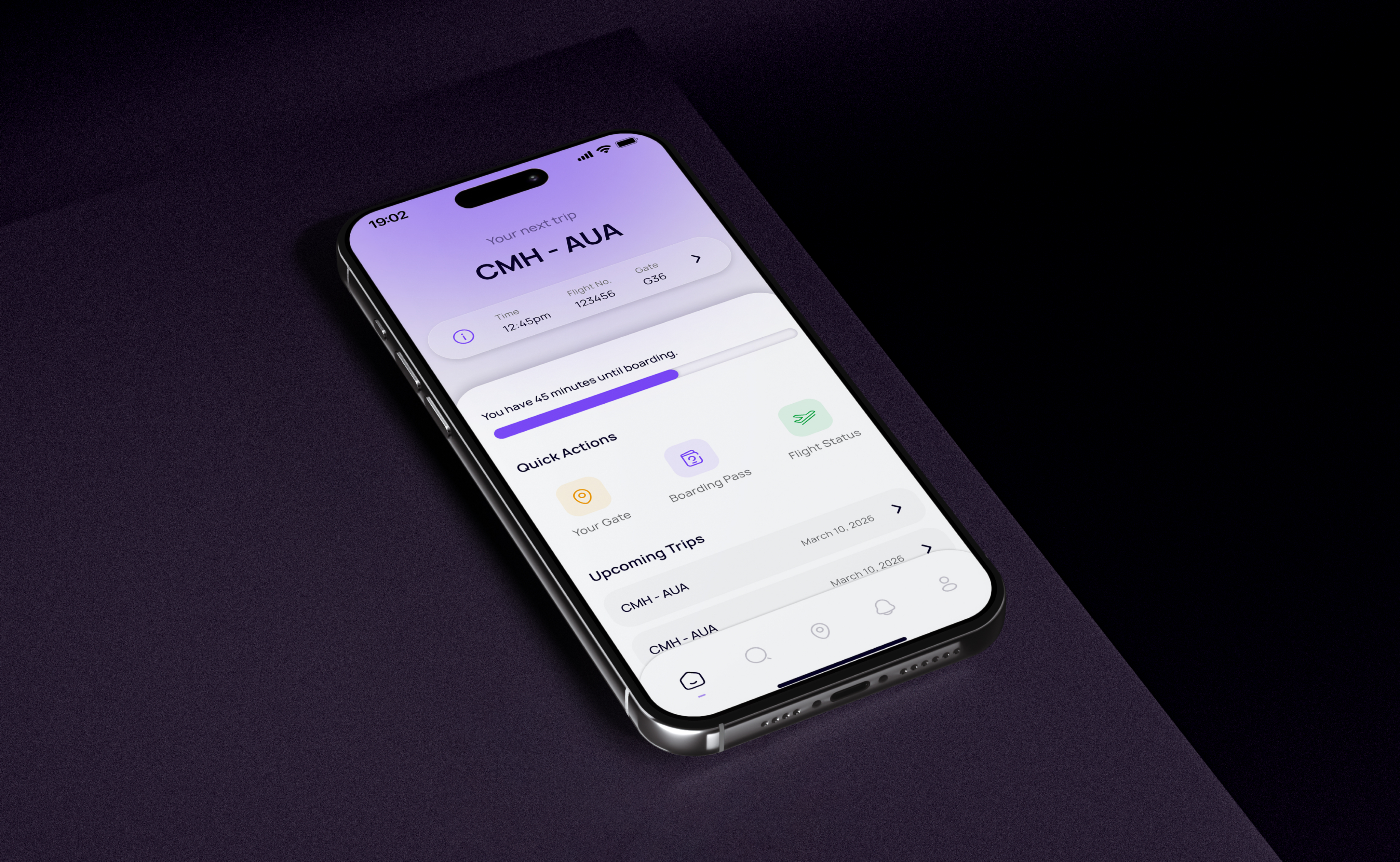
Simplify navigation and reduce cognitive load throughout the airport experience.
Smart timeline.
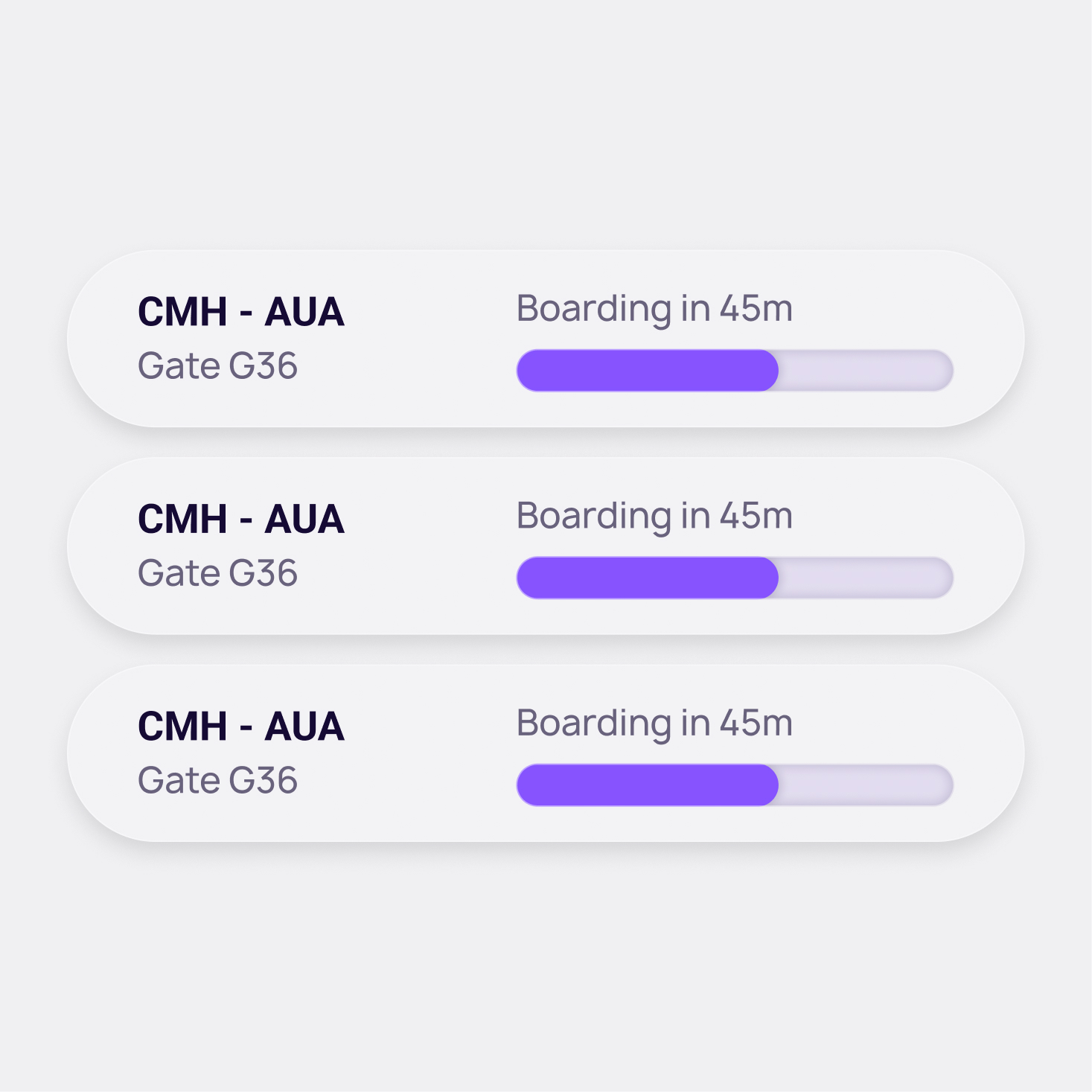
Clearway builds a real-time travel timeline based on your flight, airport, and personal preferences.


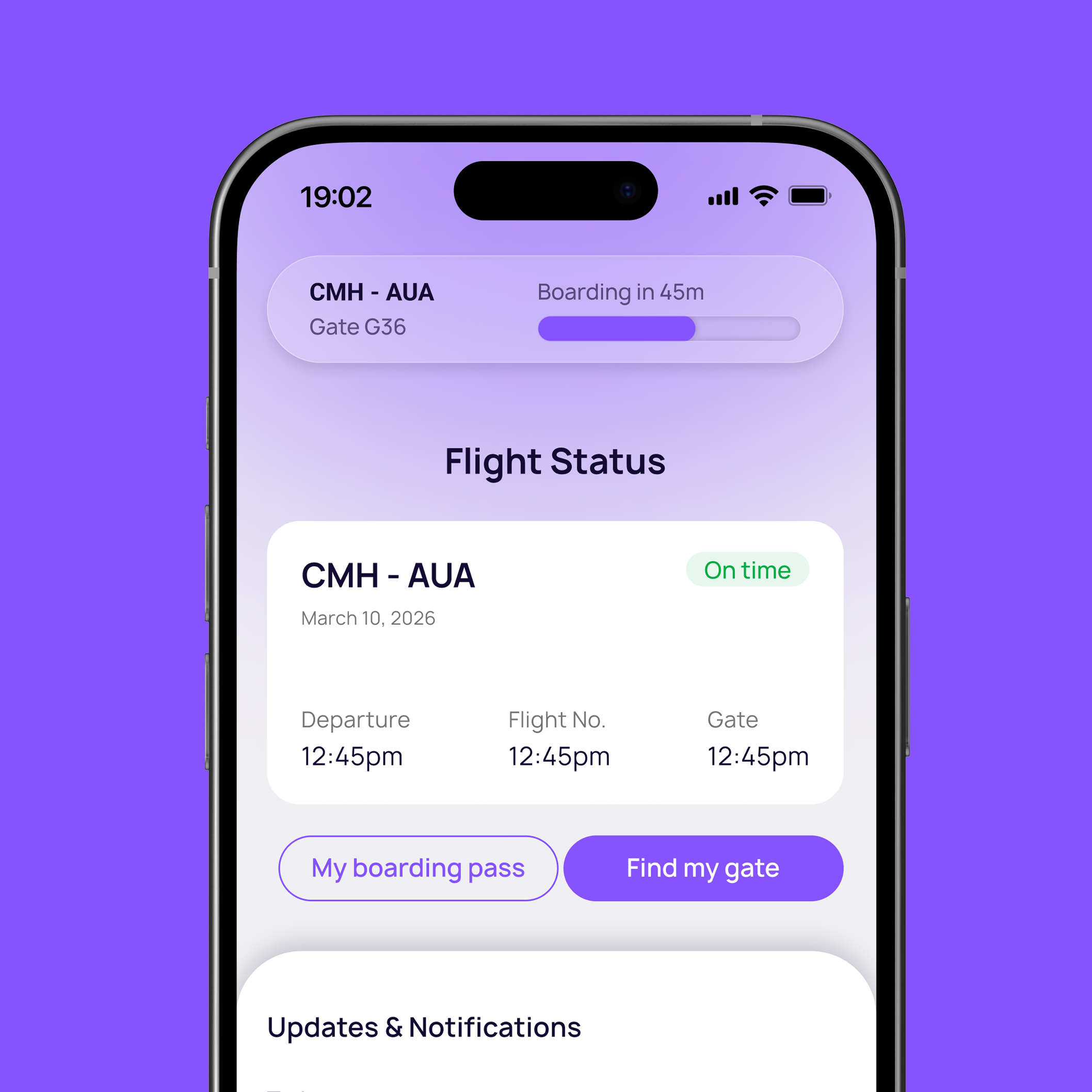
Real-time updates.
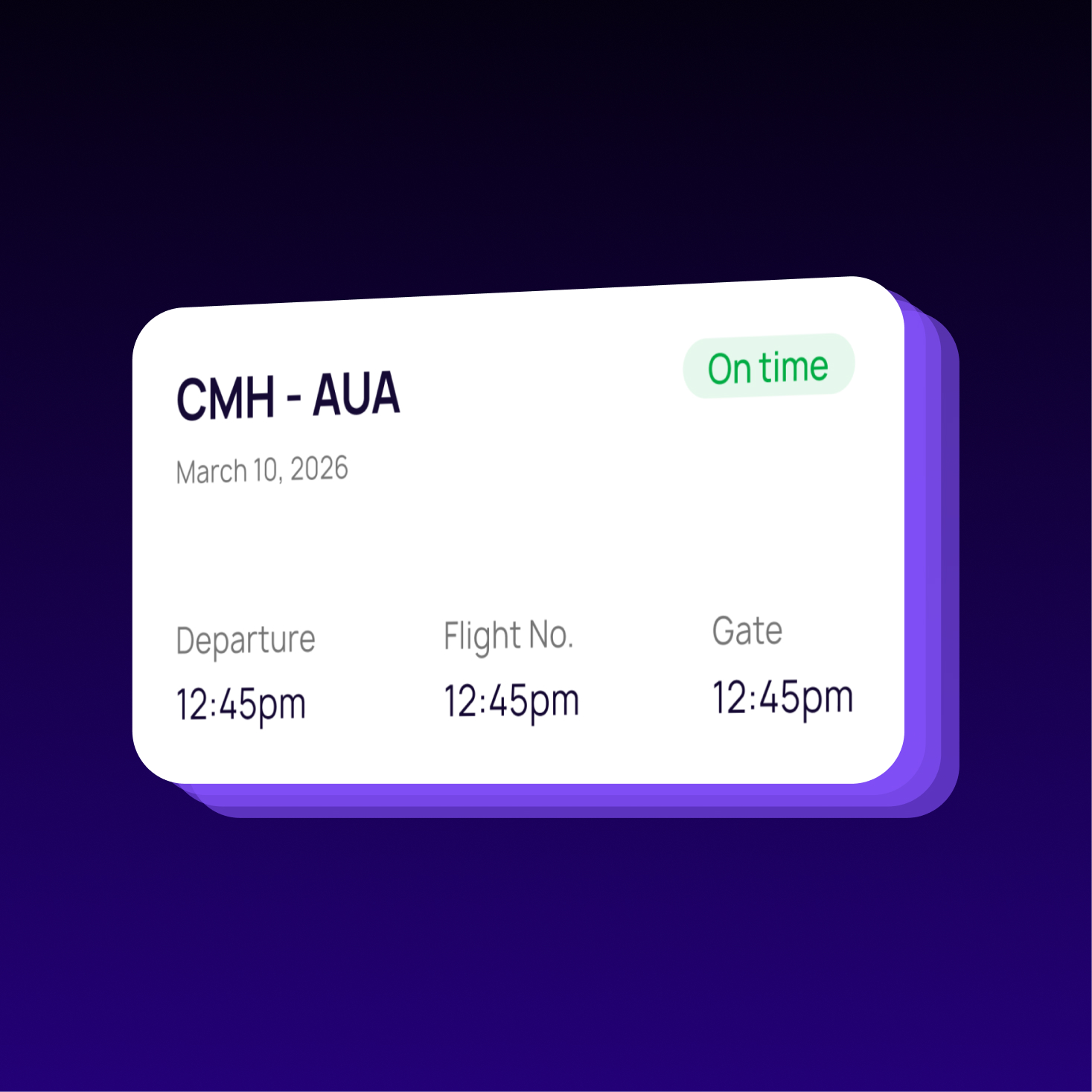
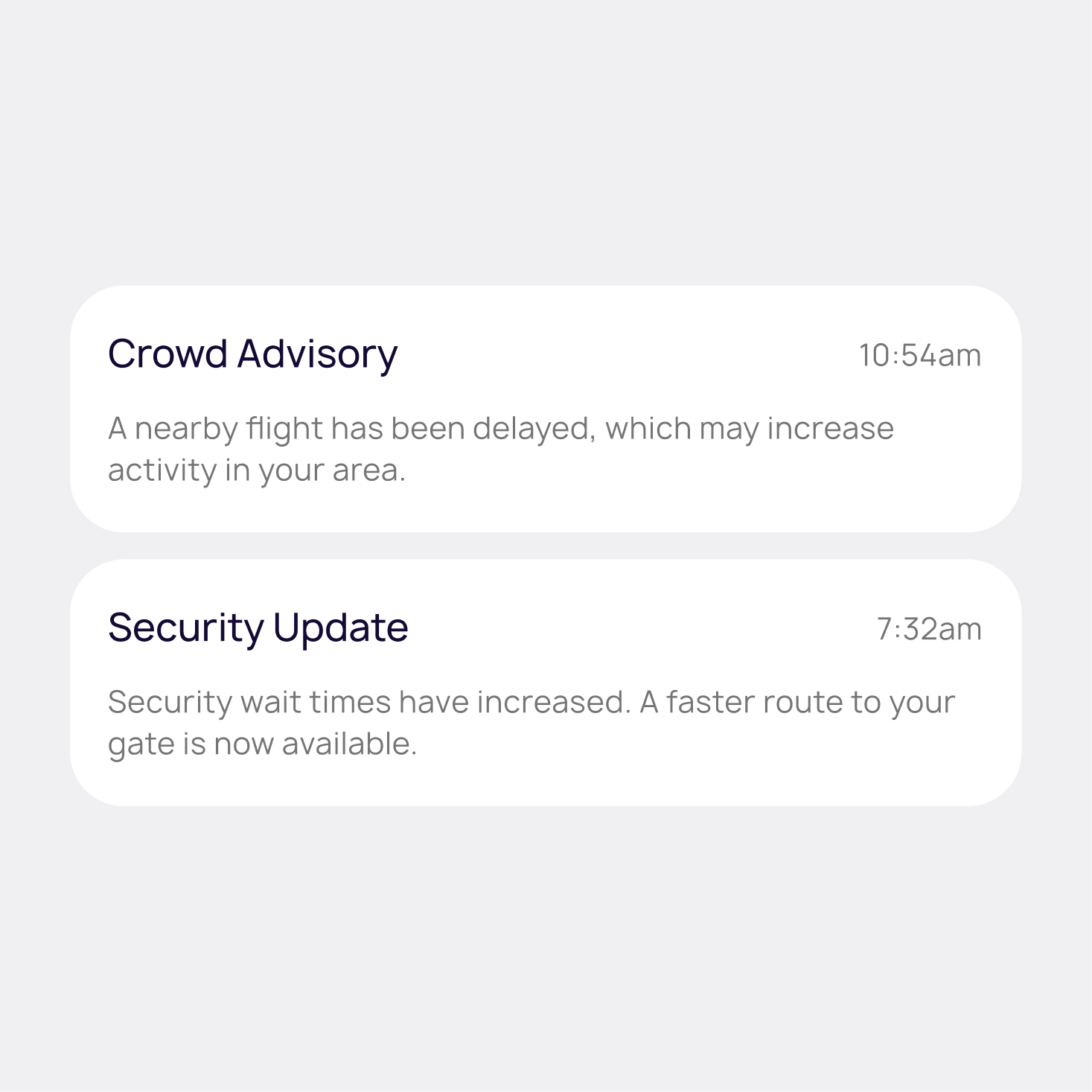
Stay ahead of delays, gate switches, and boarding updates with instant notifications. Clearway keeps travelers informed so they can adjust confidently without constantly checking screens.

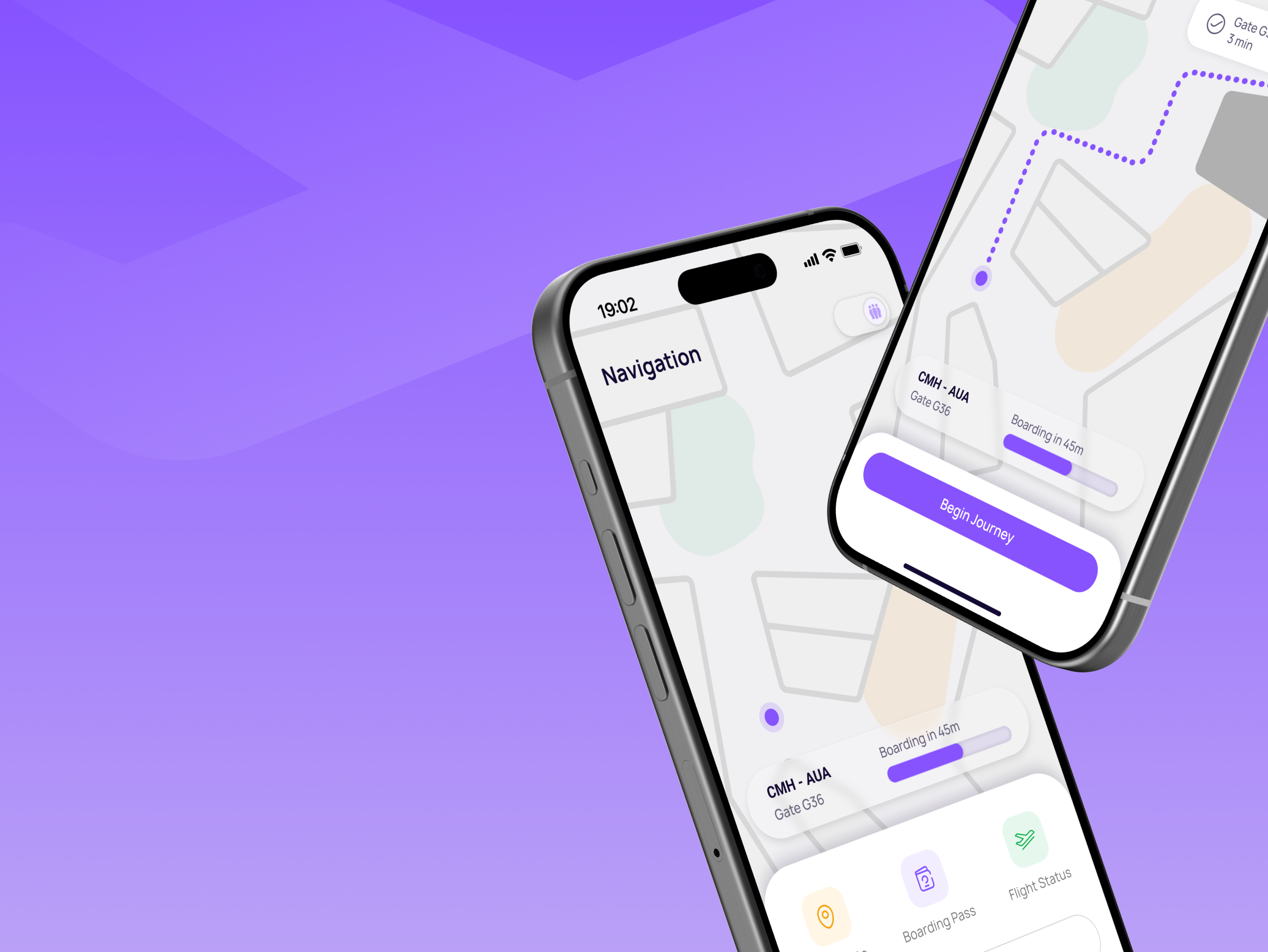
Terminal guidance.
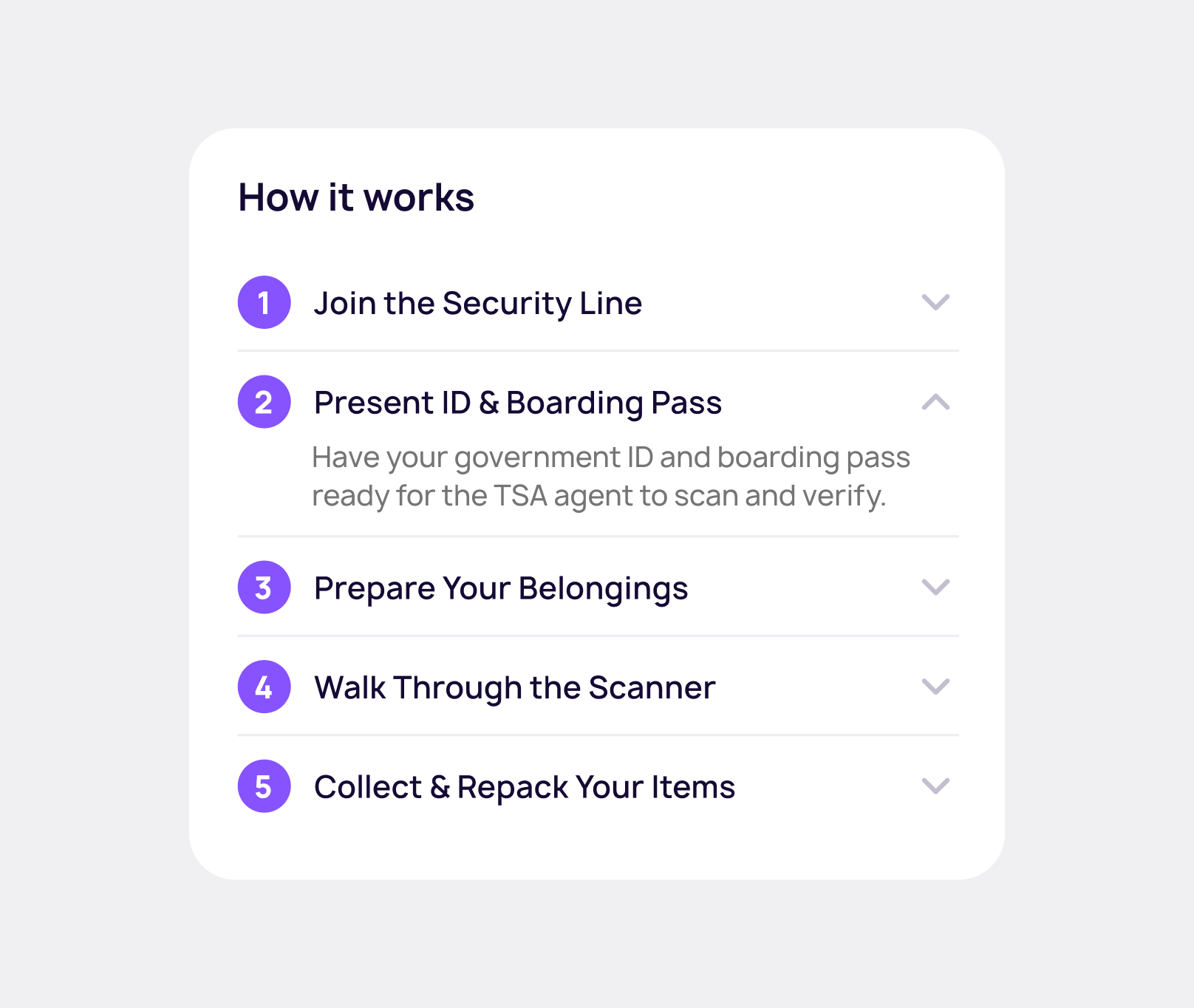
Interactive directions guide users from curb to gate with clear, minimal instructions.
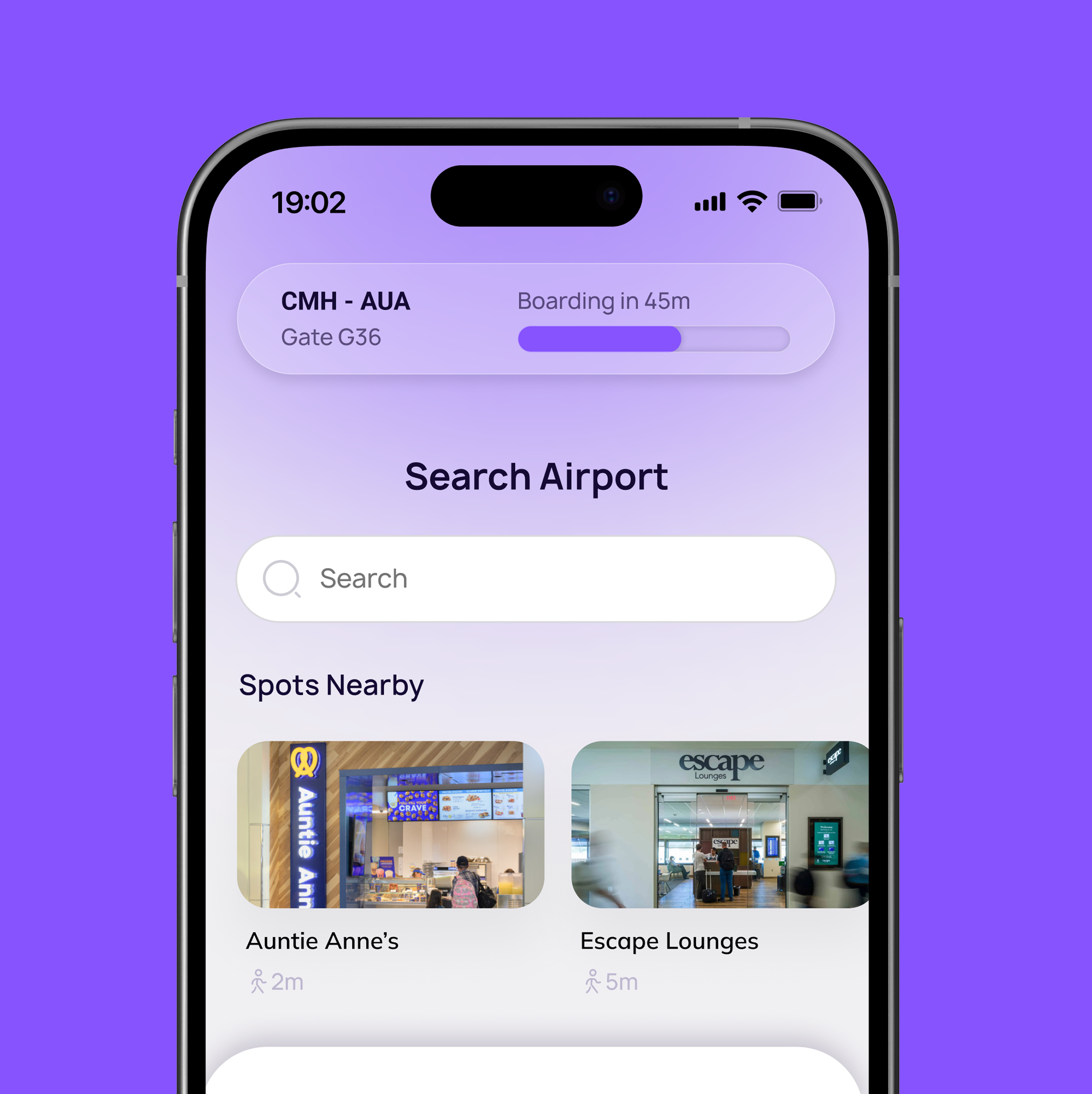
Airport search & wayfinding.
Search for restaurants, gates, lounges, restrooms, or amenities within the airport and instantly navigate to them. Clearway provides directions, walking times, and key details so travelers can move with confidence.

Created with care.
ッ I’m happy you’re here. I hope you found something worth taking with you.
Simplifying Airport Navigation
Clearway is an app designed to simplify navigation and reduce cognitive load throughout the airport experience.
Role
Lead UX/UI Designer
Timeline
6 weeks
Tools
Figma, Adobe Suite
Team
UX/UI Designer
Overview
Understanding the challenge.
Airports require travelers to make frequent decisions under time pressure while navigating unfamiliar environments. When important information like directions, boarding updates, and timing cues is spread across multiple sources, cognitive load increases and confidence decreases.
This challenge presented an opportunity to design a solution that provides clear guidance and real-time support throughout theairport journey.
Reducing traveler stress and decision fatigue
Unify digital and physical wayfinding
Increase traveler confidence and independence
Background
Measurable impact.
Existing studies and industry data on airport navigation, crowding, and passenger stress highlight key traveler pain points. These insights inform the design decisions behind Clearway.
45%
of U.S. airport travelers find crowds, noise, and environment stressful.
71%
of passengers use mobile apps to book travel, and many want consolidated information in one place.
39%
of U.S. travelers report being very satisfied with in‑airport navigation.
User Research
Defining traveler needs.
Understanding traveler behaviors and pain points was key to identifying the most important user needs. By analyzing common challenges experienced throughout the airport journey, clear patterns emerged that informed the priorities behind Clearway’s design.
Traveler Types
First Time
Unfamiliar with airports and easily lost of confused
Anxious
Sensitive to crowds and needs clear steps and information
International
Not accustomed to typical procedures, may need visuals
Business
Tight schedules, need quick updates, and favor efficiency
Based on these traveler types and their challenges, three core user needs emerged. These needs directly informed and prioritized the design decisions behind Clearway.
User-Informed Action Items
Simple, actionable instructions for every stage of their journey, from arrival to boarding, so they feel confident and in control.
Real-time information about gate changes, delays, and security to make informed decisions and avoid last-minute stress.
A clean, intuitive experience that minimizes cognitive load and reduces anxiety, especially for first-time or international flyers.
Competitor Analysis
Analyzing product competitors.
Flight Aware
Tracks flights in real time and provides updates for passengers.
- Live flight tracking and delay alerts
- Notifications for gate changes and arrival times
Google Maps
Provides basic indoor maps and directions inside major airports.
- Step-by-step walking directions inside terminals
- Real-time information integrated with Google Flights
Task mapping
Mapping design opportunities.
Breaking down the traveler journey into individual tasks revealed moments of confusion, stress, and urgency. Mapping these steps helped identify key opportunities where Clearway could simplify decisions and provide timely guidance.
Step 1
Arrive at Terminal
Medium Urgency
Environment
Crowded entrance, check-in counters
Challenges
Finding correct terminal
Emotions
Nervous, slightly stressed
Thoughts
"Where do I go first?"
Design Opportunity
Step-by-step visual guidance through airport, simple explanations of common processes
Step 2
Security Chekpoint
High Urgency
Environment
Line, scanners, loud announcments
Challenges
Confusing process, long wait
Emotions
Anxious, impatient
Thoughts
"Will I make it through quickly?"
Design Opportunity
Timed alerts for wait times and announcements, calming interface to soothe stress
Step 3
Walk to Gate
High Urgency
Environment
Long corridor, multiple signs
Challenges
Unclear signage, crowded pathways
Emotions
Rushed, overwhelmed
Thoughts
"Am I going the right way?"
Design Opportunity
Smart crowd-aware routing using visuals, clear wayfinding to designated destination
Step 4
Gate Arrival & Boarding
Very High Urgency
Environment
Gate area, seating, announcements
Challenges
Gate changes, last-minute boarding calls
Emotions
Relieved, alert, ready
Thoughts
"I hope they don't call my gate late."
Design Opportunity
Real-time gate updates, boarding notifications and updates
Prioritization
Prioritizing key features.
To focus on the most impactful functionality, potential features were evaluated based on urgency and importance. This prioritization helped identify which capabilities would deliver the greatest value to travelers while supporting Clearway’s core goals.
Important
Urgent
- Step-by-step guidance
- Real-time flight updates
- Clear maps and walking directions
- Crowd-aware routing
- Calm interface for anxious users
- Push notifications for non-critical services
- Minor flight-related alerts
Not Urgent
- Personalization
- Access to lounges, restaurants, and other services
- Optional cosmetic themes
- Minor visual customizations
The Solution
Introducing the solution.
Clearway is designed to simplify airport navigation and reduce cognitive load throughout the travel experience. The following features demonstrate how the app provides clear guidance, real-time updates, and a calmer journey through the airport.
Designing for clarity.
The interface is intentionally minimal and structured, keeping critical information visible while eliminating unnecessary visual noise. Every element supports faster decisions and calmer movement through the airport.
Simplify navigation and reduce cognitive load throughout the airport experience.
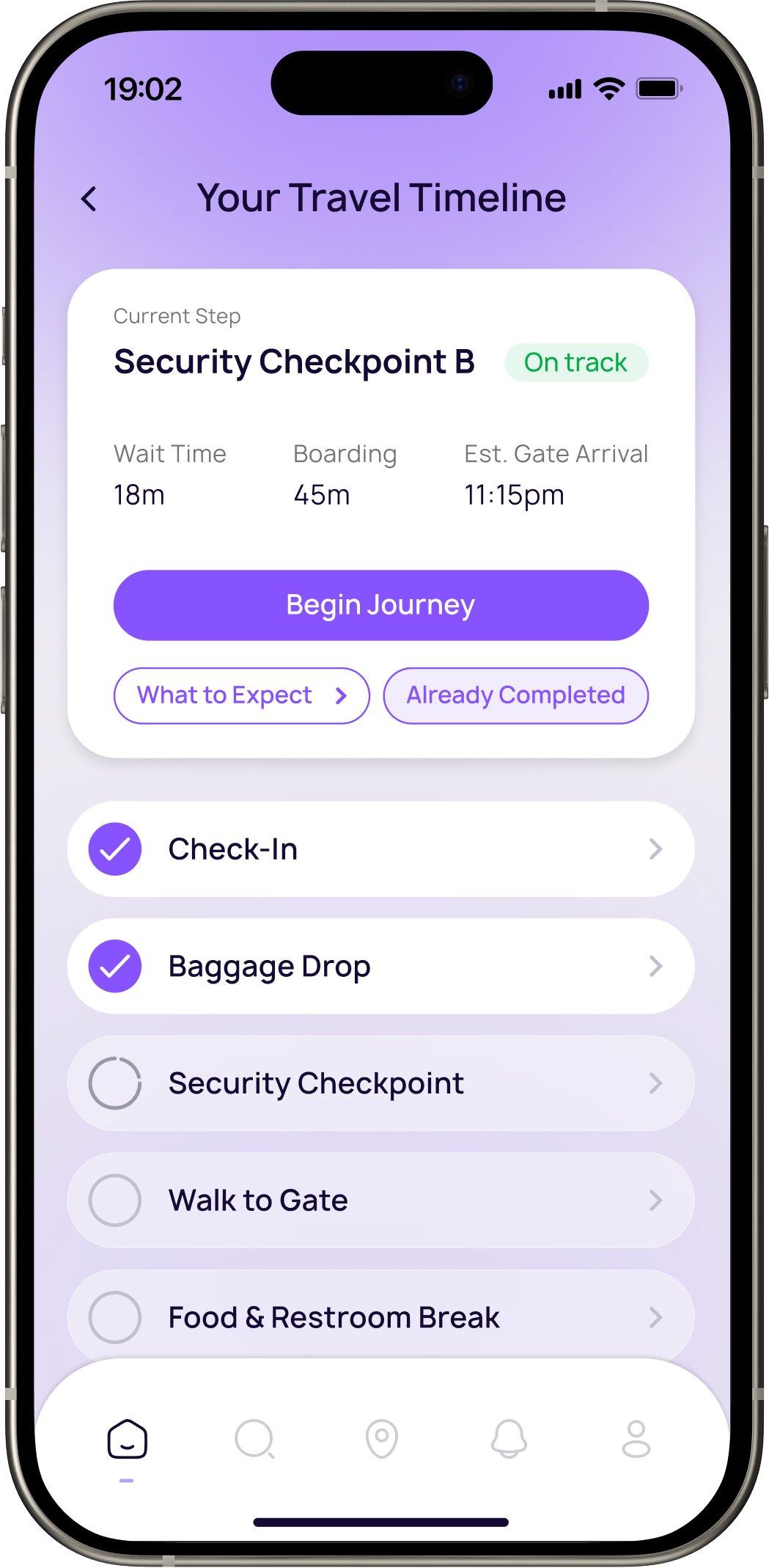
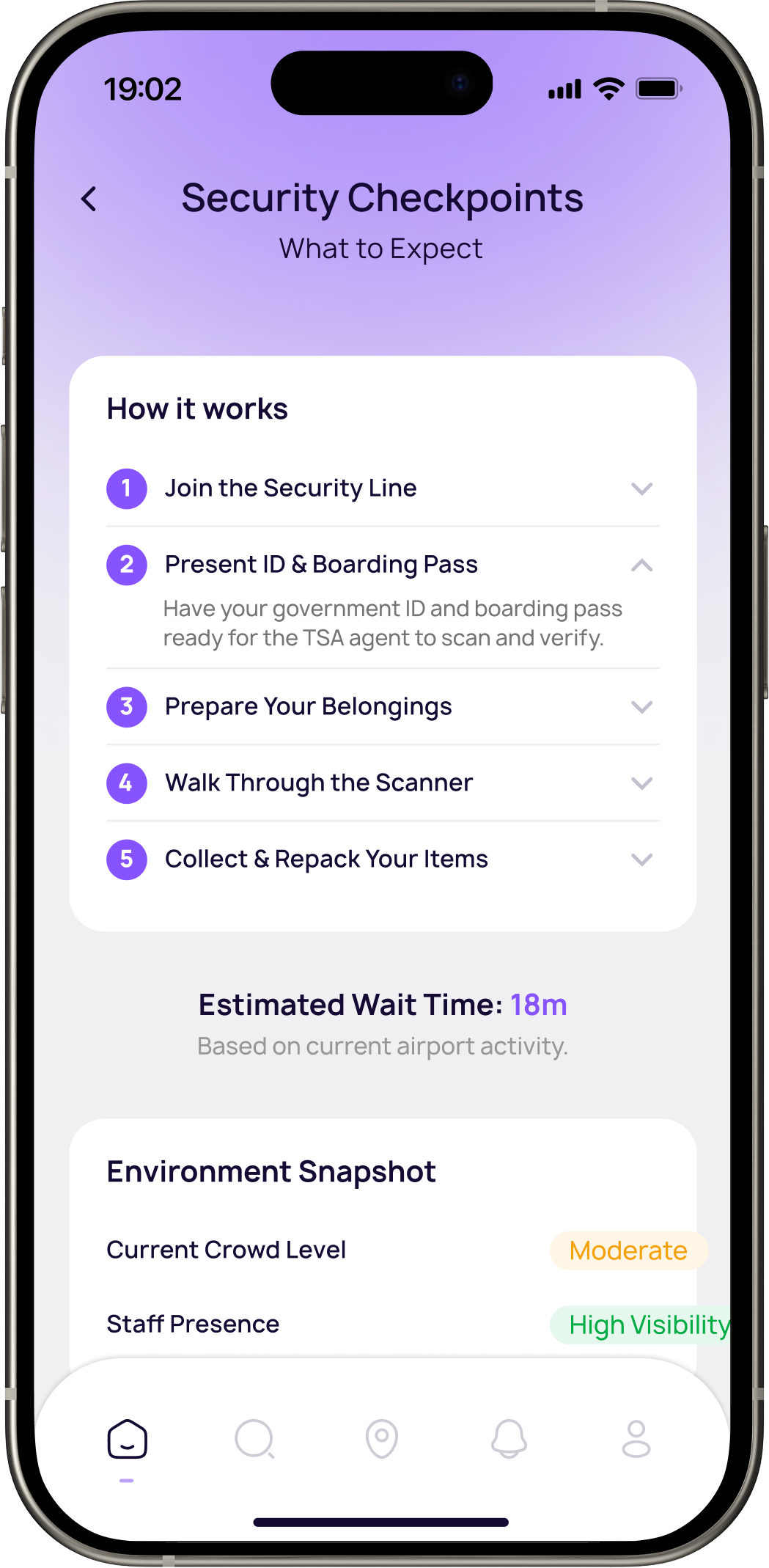
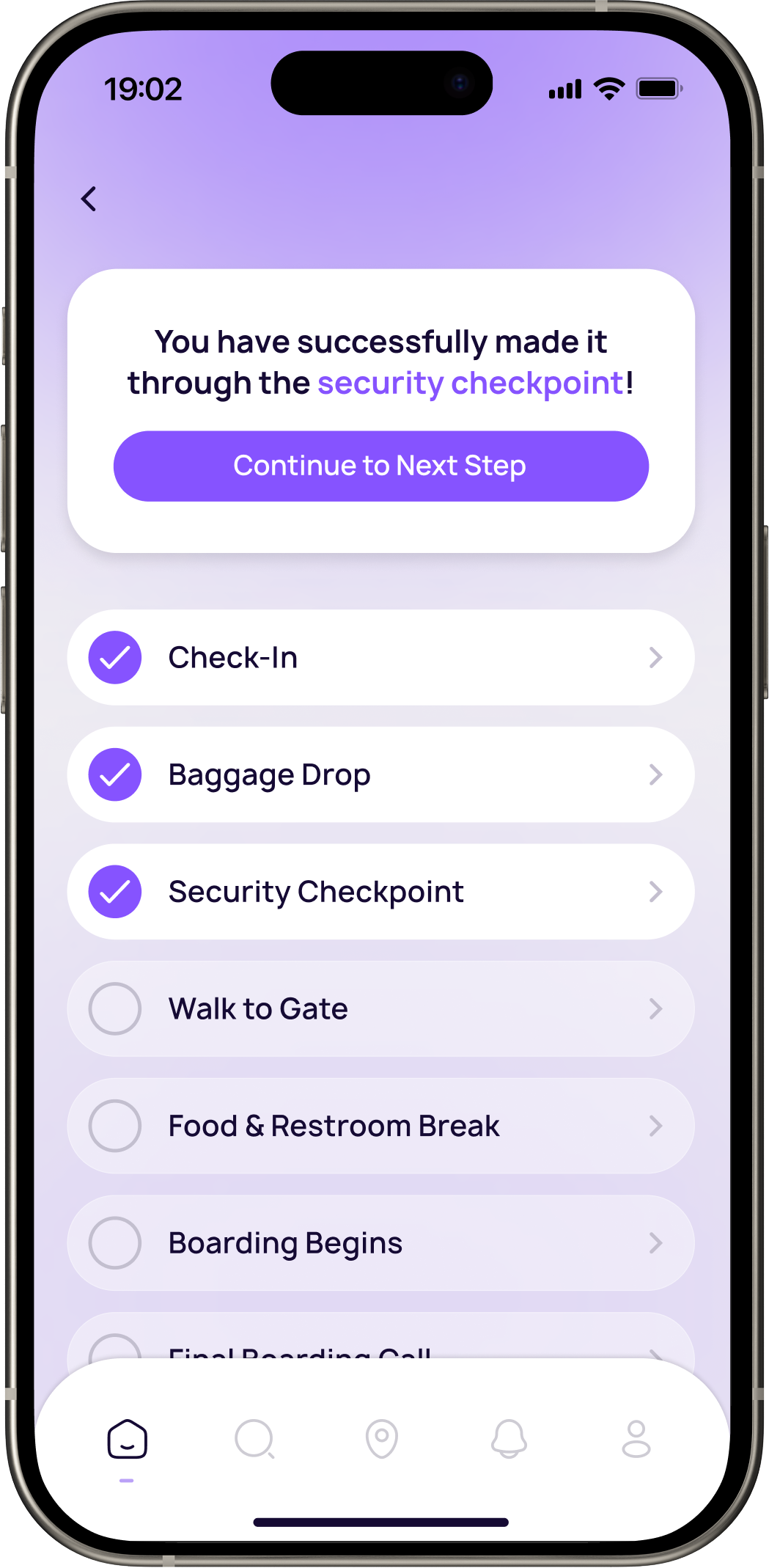
Smart timeline.
Clearway builds a real-time travel timeline based on your flight, airport, and personal preferences.
Real-time updates.
Stay ahead of delays, gate switches, and boarding updates with instant notifications. Clearway keeps travelers informed so they can adjust confidently without constantly checking screens.
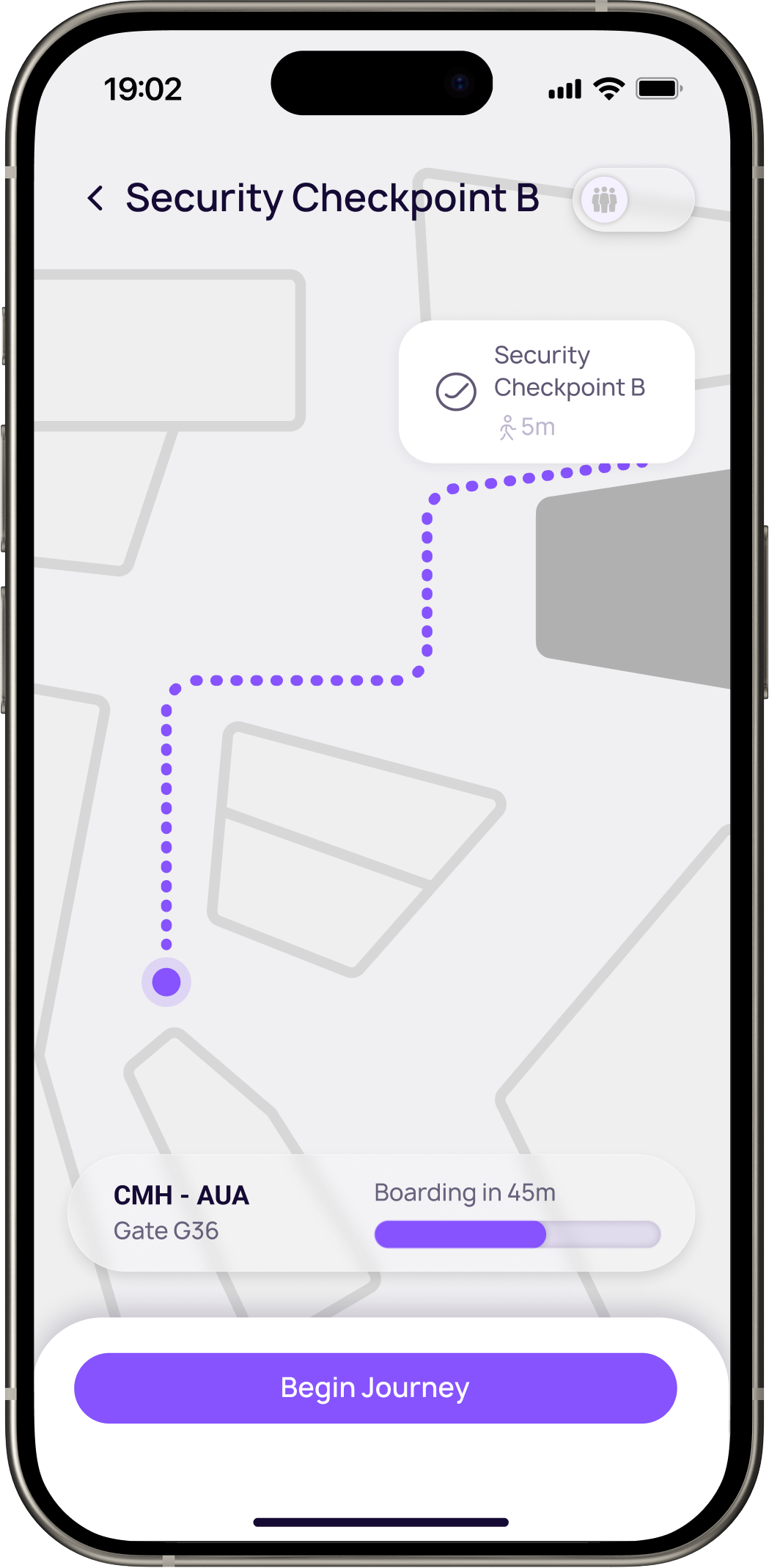
Terminal guidance.
Interactive directions guide users from curb to gate with clear, minimal instructions.
Airport search & wayfinding.
Search for restaurants, gates, lounges, restrooms, or amenities within the airport and instantly navigate to them. Clearway provides directions, walking times, and key details so travelers can move with confidence.
Created with care.
ッ I’m happy you’re here. I hope you found something worth taking with you.
Simplifying Airport Navigation
Clearway is an app designed to simplify navigation and reduce cognitive load throughout the airport experience.
Role
Lead UX/UI Designer
Timeline
6 weeks
Tools
Figma, Adobe Suite
Team
UX/UI Designer
Overview
Understanding the challenge.
Airports require travelers to make frequent decisions under time pressure while navigating unfamiliar environments. When important information like directions, boarding updates, and timing cues is spread across multiple sources, cognitive load increases and confidence decreases.
This challenge presented an opportunity to design a solution that provides clear guidance and real-time support throughout theairport journey.
Reducing traveler stress and decision fatigue
Unify digital and physical wayfinding
Increase traveler confidence and independence
Background
Measurable impact.
Existing studies and industry data on airport navigation, crowding, and passenger stress highlight key traveler pain points. These insights inform the design decisions behind Clearway.
45%
of U.S. airport travelers find crowds stressful, and noise and environment are also common stressors.




71%
of passengers use mobile apps to book travel, and many want consolidated information in one place.
39%
of U.S. travelers report being very satisfied with in‑airport navigation.

User Research
Defining traveler needs.
Understanding traveler behaviors and pain points was key to identifying the most important user needs. By analyzing common challenges experienced throughout the airport journey, clear patterns emerged that informed the priorities behind Clearway’s design.
Traveler Types
First Time
Unfamiliar with airports and easily lost of confused
Anxious
Sensitive to crowds and needs clear steps and information
International
Not accustomed to typical procedures, may need visuals
Business
Tight schedules, need quick updates, and favor efficiency
Based on these traveler types and their challenges, three core user needs emerged. These needs directly informed and prioritized the design decisions behind Clearway.
User-Informed Action Items
Simple, actionable instructions for every stage of their journey, from arrival to boarding, so they feel confident and in control.
Real-time information about gate changes, delays, and security to make informed decisions and avoid last-minute stress.
A clean, intuitive experience that minimizes cognitive load and reduces anxiety, especially for first-time or international flyers.
Competitor Analysis
Analyzing product competitors.

Flight Aware
Tracks flights in real time and provides updates for passengers.
- Live flight tracking and delay alerts
- Notifications for gate changes and arrival times

Google Maps
Provides basic indoor maps and directions inside major airports.
- Step-by-step walking directions inside terminals
- Real-time information integrated with Google Flights
Task mapping
Mapping design opportunities.
Breaking down the traveler journey into individual tasks revealed moments of confusion, stress, and urgency. Mapping these steps helped identify key opportunities where Clearway could simplify decisions and provide timely guidance.
Step 1
Arrive at Terminal
Medium Urgency
Environment
Crowded entrance, check-in counters
Challenges
Finding correct terminal
Emotions
Nervous, slightly stressed
Thoughts
"Where do I go first?"
Design Opportunity
Step-by-step visual guidance through airport, simple explanations of common processes
Step 2
Security Chekpoint
High Urgency
Environment
Line, scanners, loud announcments
Challenges
Confusing process, long wait
Emotions
Anxious, impatient
Thoughts
"Will I make it through quickly?"
Design Opportunity
Timed alerts for wait times and announcements, calming interface to soothe stress
Step 3
Walk to Gate
High Urgency
Environment
Long corridor, multiple signs
Challenges
Unclear signage, crowded pathways
Emotions
Rushed, overwhelmed
Thoughts
"Am I going the right way?"
Design Opportunity
Smart crowd-aware routing using visuals, clear wayfinding to designated destination
Step 4
Gate Arrival & Boarding
Very High Urgency
Environment
Gate area, seating, announcements
Challenges
Gate changes, last-minute boarding calls
Emotions
Relieved, alert, ready
Thoughts
"I hope they don't call my gate late."
Design Opportunity
Real-time gate updates, boarding notifications and updates
Prioritization
Prioritizing key features.
To focus on the most impactful functionality, potential features were evaluated based on urgency and importance. This prioritization helped identify which capabilities would deliver the greatest value to travelers while supporting Clearway’s core goals.
Not Important
Important
Urgent
- Step-by-step guidance
- Real-time flight updates
- Clear maps and walking directions
- Crowd-aware routing
- Calm interface for anxious users
- Push notifications for non-critical services
- Minor flight-related alerts
Not Urgent
- Personalization
- Access to lounges, restaurants, and other services
- Optional cosmetic themes
- Minor visual customizations
The Solution
Introducing the solution.
Clearway is designed to simplify airport navigation and reduce cognitive load throughout the travel experience. The following features demonstrate how the app provides clear guidance, real-time updates, and a calmer journey through the airport.
Designing for clarity.
The interface is intentionally minimal and structured, keeping critical information visible while eliminating unnecessary visual noise. Every element supports faster decisions and calmer movement through the airport.
Simplify navigation and reduce cognitive load throughout the airport experience.
Smart timeline.
Clearway builds a real-time travel timeline based on your flight, airport, and personal preferences.
Real-time updates.
Stay ahead of delays, gate switches, and boarding updates with instant notifications. Clearway keeps travelers informed so they can adjust confidently without constantly checking screens.
Terminal guidance.
Interactive directions guide users from curb to gate with clear, minimal instructions.
Airport search & wayfinding.
Search for restaurants, gates, lounges, restrooms, or amenities within the airport and instantly navigate to them. Clearway provides directions, walking times, and key details so travelers can move with confidence.
Created with care.
ッ I’m happy you’re here. I hope you found something worth taking with you.