Reimagining Student Collaboration
A student-first platform that transforms higher education into a more connected, collaborative, and supportive experience.
Role
Lead Product Designer
Timeline
8 months
Tools
Figma, Adobe Suite
Team
Product Designer
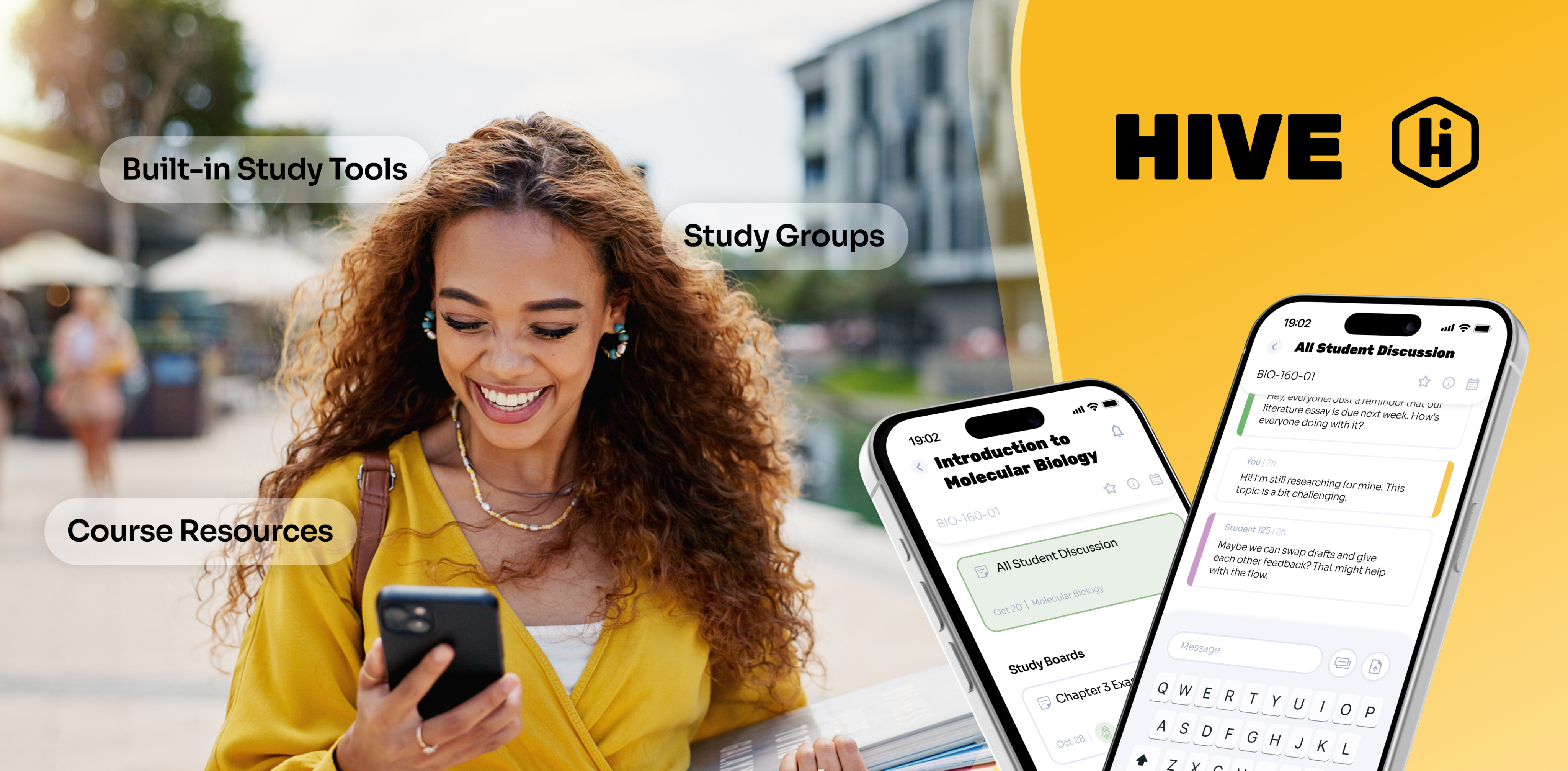
Overview
Setting the stage.
Research and personal experience show that higher education students face significant barriers to effective learning. Many experience academic anxiety, including fear of judgment, self-doubt, and hesitation to participate in class discussions. At the same time, study materials and resources are scattered across multiple platforms, creating disorganization and added stress. Students also have limited opportunities for meaningful peer interaction outside the classroom, making collaboration and social learning difficult. Together, these challenges reduce engagement, hinder productivity, and make the learning experience less supportive overall.

5-Stage Process
Design thinking.
I approached HIVE using the 5-stage Design Thinking model from the Hasso Plattner Institute of Design at Stanford. This framework kept the project user-focused while allowing me to iterate effectively.
Empathize
Research, interviews, and user personas
Define
Insights, value propositions, and prioritization
Ideate
Brainstorming, sketching, and storyboarding
Prototype
Information architecture, wireframing, and prototyping
Test
Usability testing, feedback, and iteration
Thought Organization
Identifying responsibilities.
During the research phase, I conducted interviews with classmates and professors, and analyzed competitors to uncover key pain points and insights.
During ideation, I brainstormed solutions, prioritized features using the MOSCOW model, and developed HIVE’s information architecture. I then created wireframes and interactive prototypes to visualize user flows and core functionalities.
Finally, I conducted usability testing sessions, gathered feedback, and iterated on designs to ensure HIVE was intuitive, engaging, and student-centered. I also defined the visual style and delivered the final polished product.

Key Metrics
Measurable impact.
Existing studies and industry data on student interactions, grades, and class behaviors, inform key user pain points. These insights direct many of the design decisions behind Hive.

84%
of the college students reported that they never ask questions in class.

86%
of the college students reported that they never answer questions in class.
63%
of the college students reported that they never answer questions in class.
Students who indicated they were receiving a C, D, or F reported significantly higher anxiety than those who reported earning an A or B.Students with higher general anxiety were more likely to self-report lower course grades and intentions to leave their major.
Competitor Analysis
Analyzing product competitors.
Existing airport and travel platforms were analyzed to understand how travelers currently access information and navigate terminals. This analysis highlighted areas where a more streamlined, user-centered solution could improve the experience.
Text messaging
Voice messaging
LMS integration
Customize UI
Education focused
Content management
Project management
Study groups
Cross-platform
Institution package
Free for individuals
Discord
MS Teams
Canvas
GroupMe


Top Competitors

Discord
Strengths
- Popular among gamers and communities
- Versatile with text, voice, and video communication
- Customizable UI with themes and integrations
- Wide range of gaming platform integrations
- Free for individual users
Weaknesses
- Primarily for gaming, less suited for professional use
- Limited collaboration and productivity features
- Limited integration with productivity suites
- Interface may feel cluttered
- Limited privacy and security control

Microsoft Teams
Strengths
- Integrated with Microsoft 365
- Designed for professional use
- Robust security and compliance features
- Extensive integration with Microsoft products
- Supports text, voice, and video communication
Weaknesses
- Requires Microsoft 365 subscription
- Complex UI for new users
- Limited customization options
- Limited integration with non-Microsoft apps
- Resource-intensive, may not perform well on older devices
MoSCoW Method
Prioritizing key features.
I applied the MoSCoW method to categorize features based on their importance and feasibility. This framework helped me focus on essential functionalities while keeping track of secondary ideas for potential future development.
Must Have
- Platform for forming study groups
- Anonymous peer interaction
- Structured study environment
Should Have
- Opportunities for peer interaction
- Collaboration on lab assignments
- Efficient note and resource management
Could Have
- Advanced collaboration features
- Personalized study recommendations
- Integration with university resources
Won’t Have
- Social features
- Entertainment content
- Background sounds
User-Informed Action Items

Anonymous Peer Interaction
Research suggested that many students hesitate to ask questions or participate in discussions due to fear of judgment. Anonymous interaction was identified as a way to lower this barrier and encourage more open participation among peers.

Study Tools
Students often rely on multiple disconnected tools to study, creating unnecessary friction. Integrating core study tools into one platform could help streamline review and keep learning resources in a single place.

Study Group Formation
Studies revealed that students frequently struggle to find peers to study with, especially in large courses. Enabling study group formation could make collaboration easier and support peer-driven learning.

In-Class Question Tool
Many students feel uncomfortable speaking up in lectures. Digital interaction tools could provide an alternative way to ask questions and participate in class discussions.

Resource Centralization
Study materials are often scattered across multiple platforms. Centralizing resources could help students stay organized and access course content more efficiently.
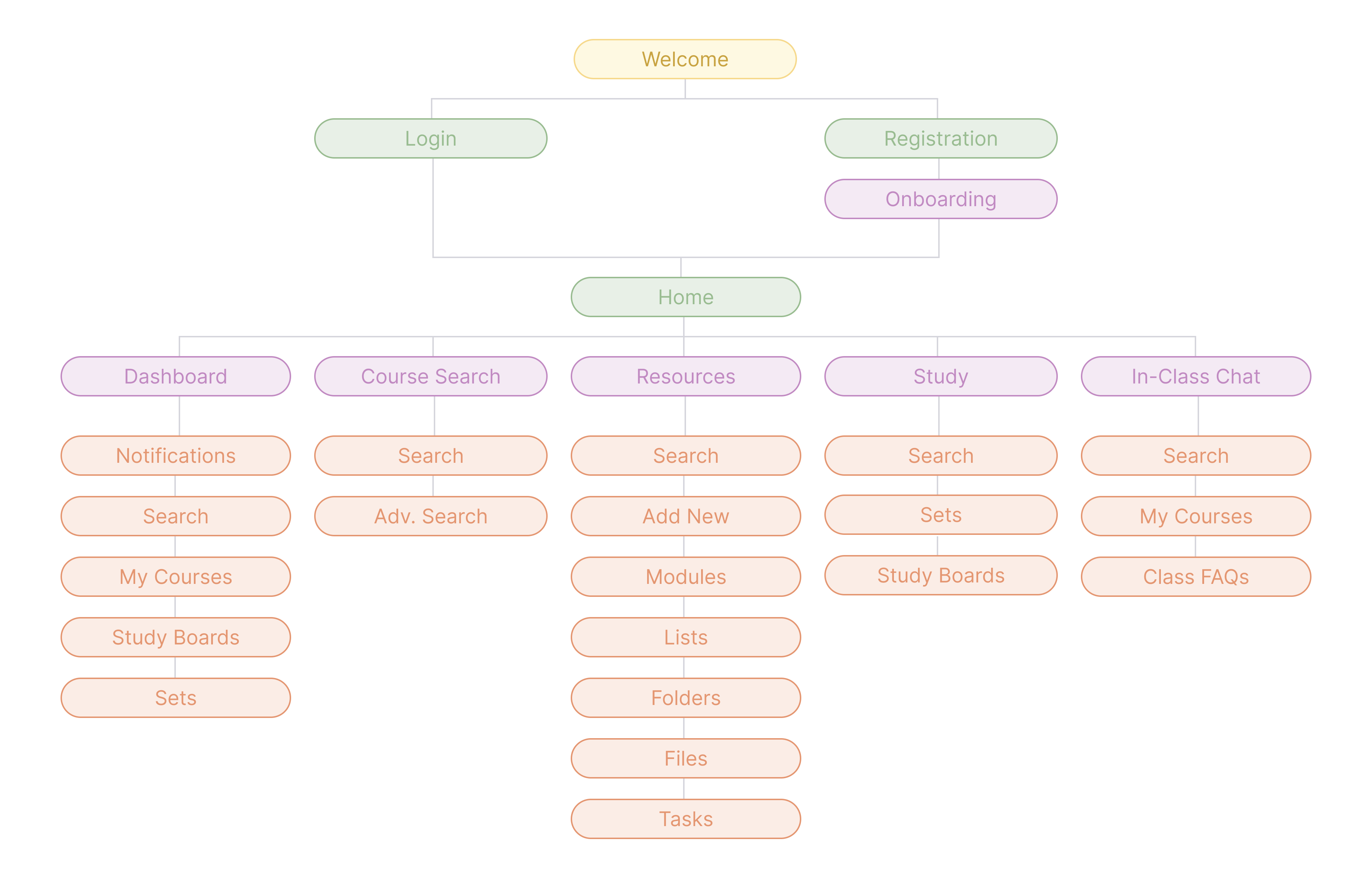
Site Map
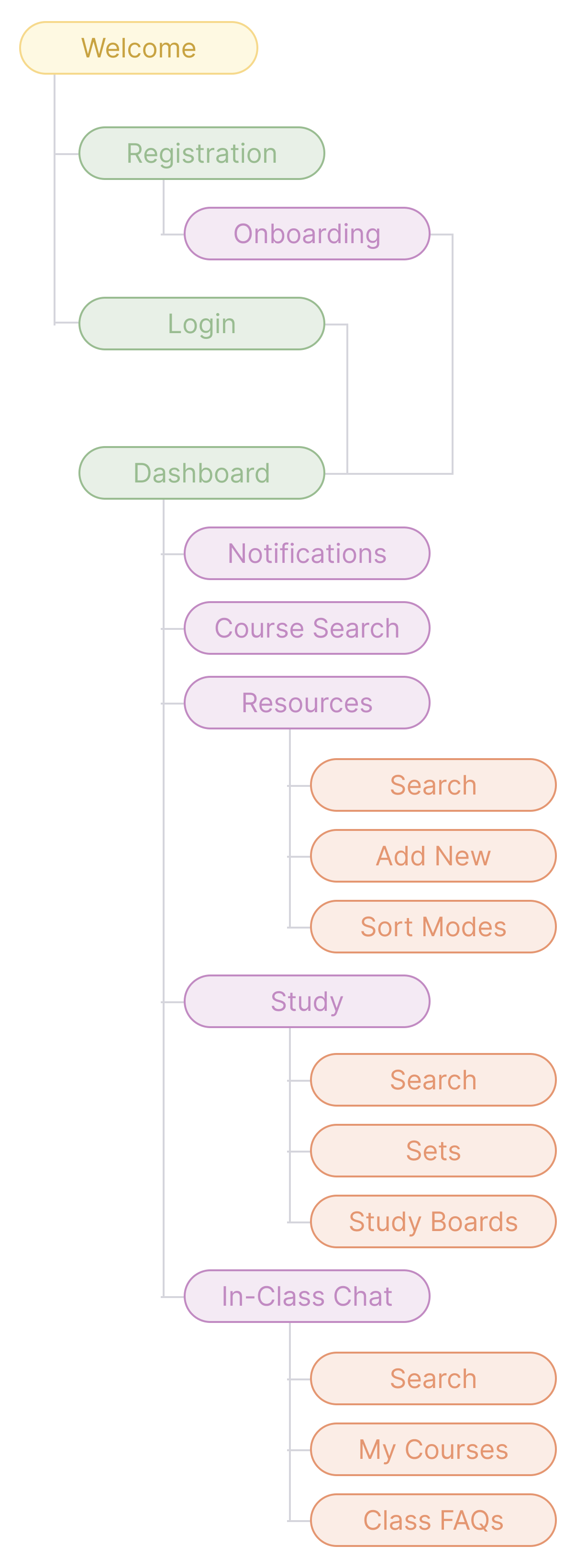
Information architecture.
To bring clarity and order to the app, I mapped out the hierarchy of content and features. This included structuring how users would navigate between sections, access tools, and move through the experience. The goal was to make information easy to find and interactions intuitive.
Design Direction
Iterations & exploration.
Before moving into high-fidelity design, I created quick sketches of screens and layouts. These low-cost, rapid prototypes allowed me to experiment with different configurations of features, test ideas early, and make adjustments without heavy investment in time or software.
Introducing the solution.
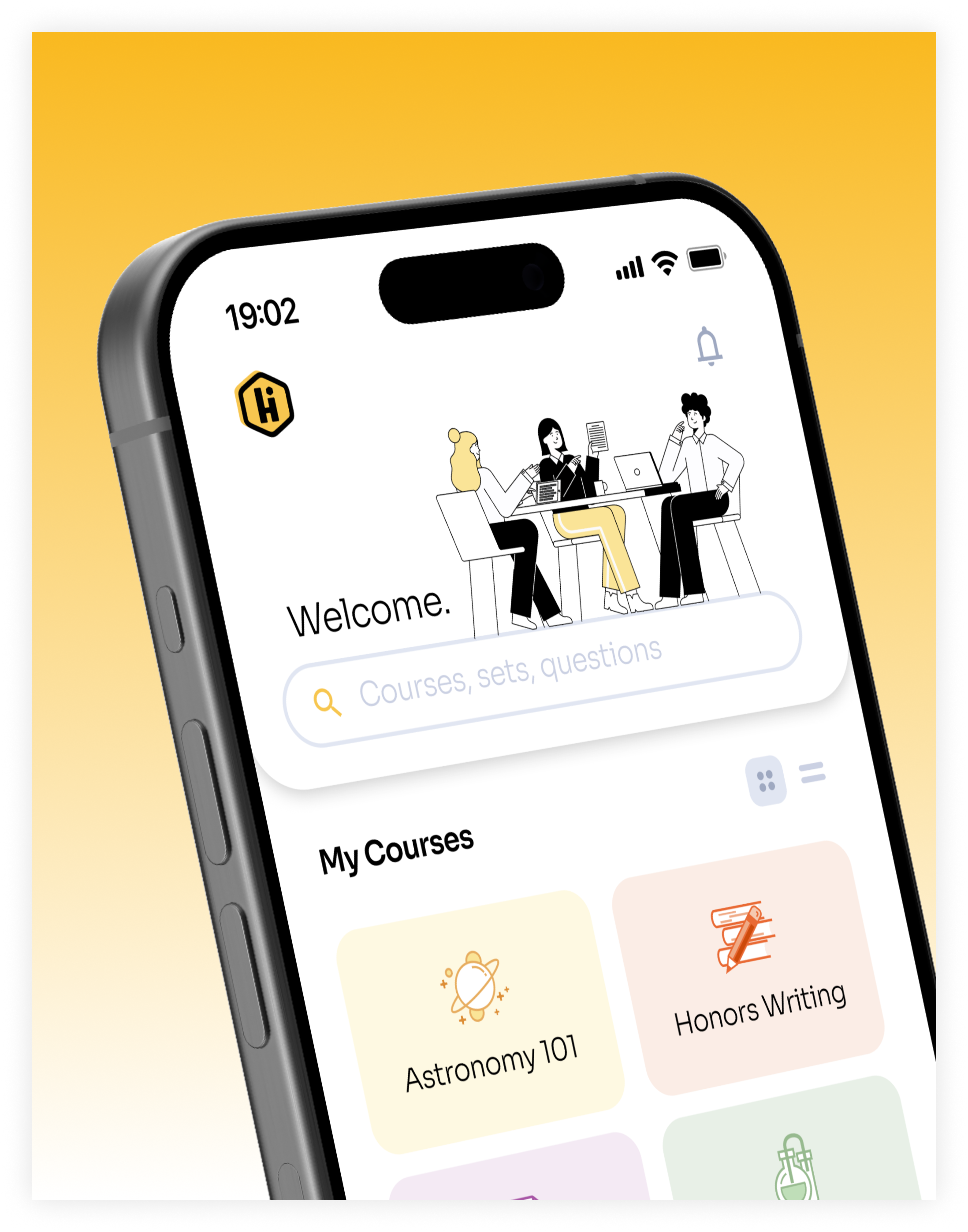
Hive is the result of a complete, user-centered design process.With features carefully crafted to support collaboration, organization, and engagement, Hive empowers students to take control of their learning, connect with peers, and manage academic stress more effectively.
This final product reflects a thoughtful integration of research, ideation, and iteration, showcasing a platform designed around students’ needs and behaviors.
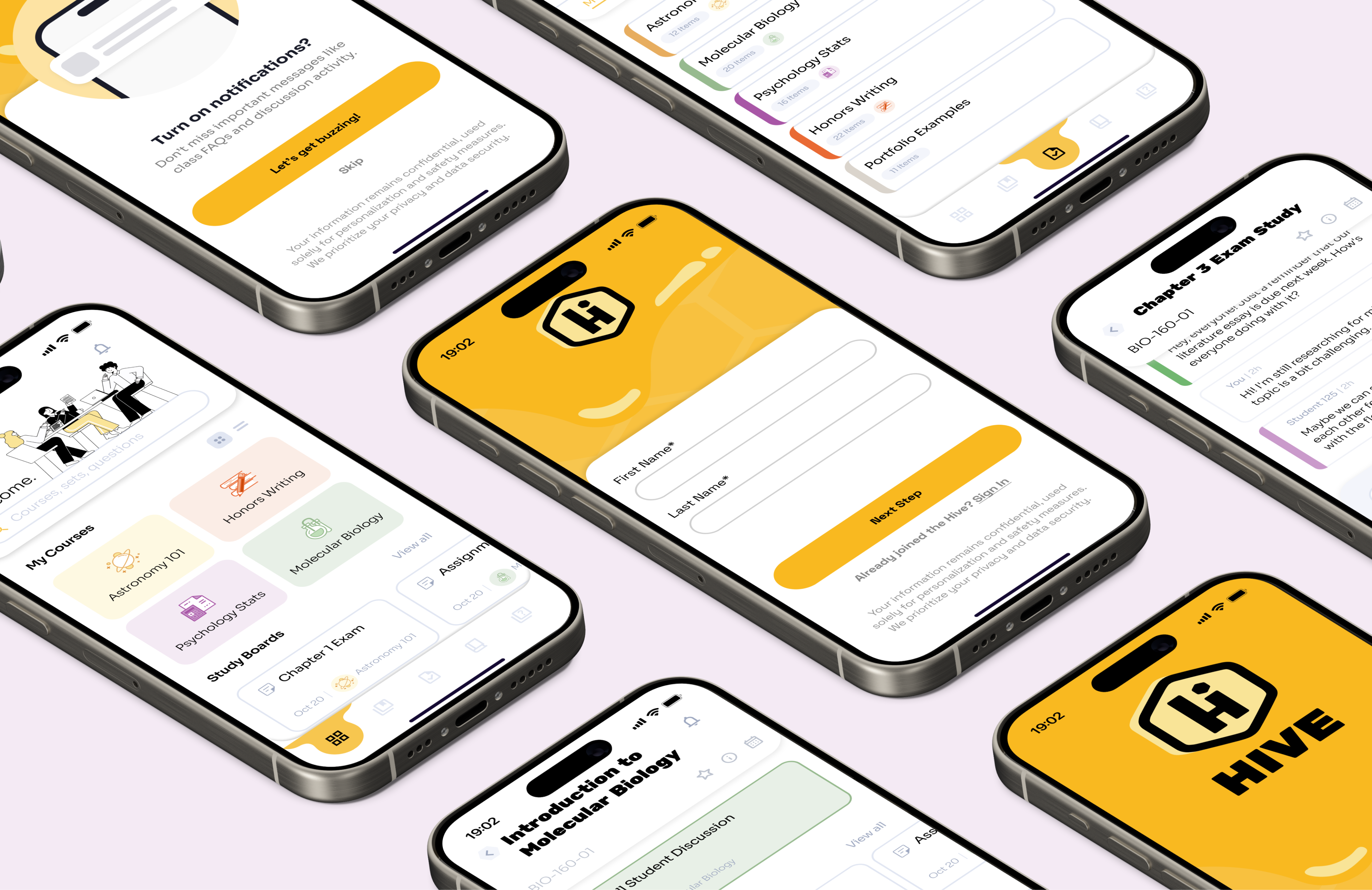
Study Groups & Collaboration
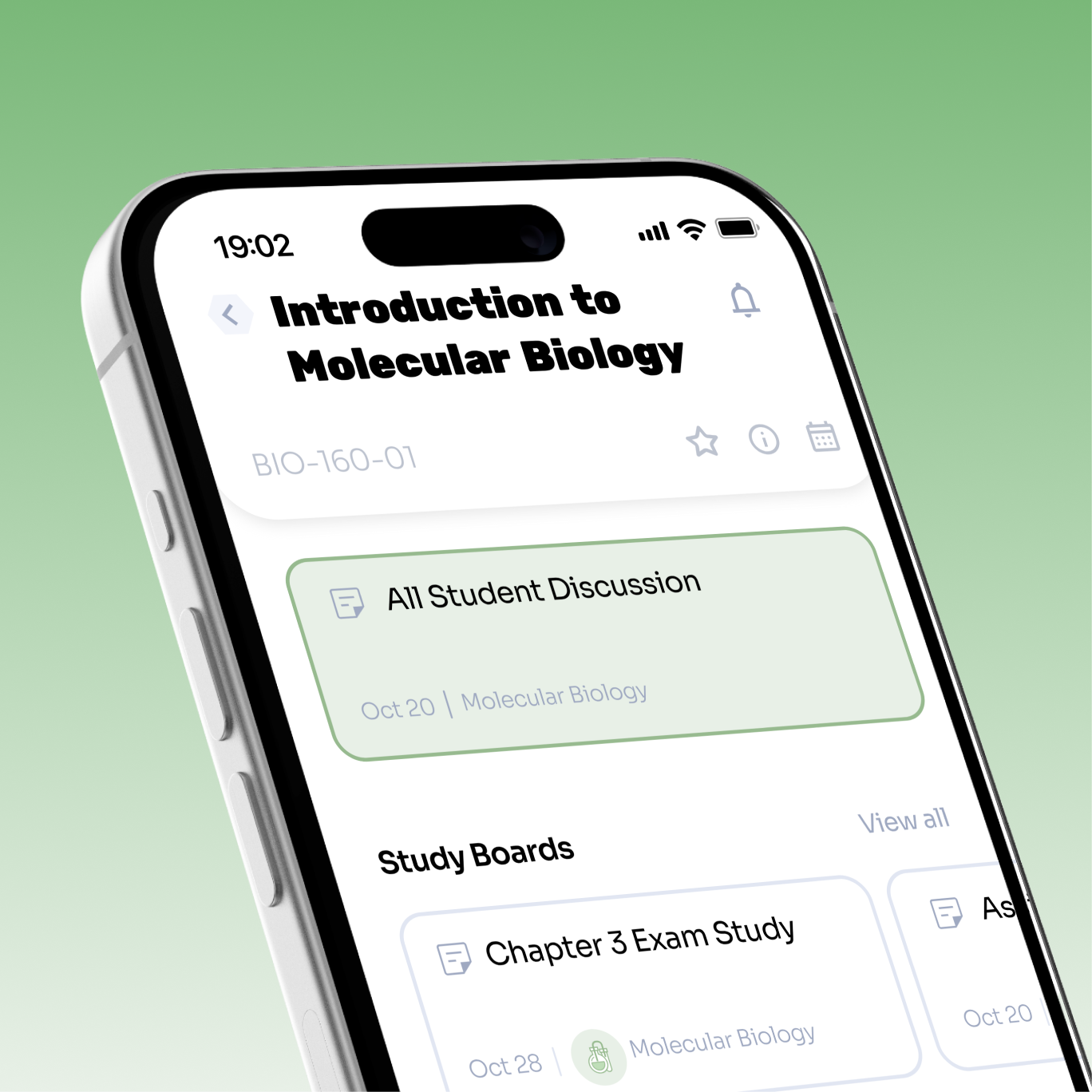
HIVE provides students with tools to connect and communicate with peers outside the classroom. Study groups can be created, shared resources are easy to access, and discussion features allow students to collaborate on assignments, projects, and exam preparation.
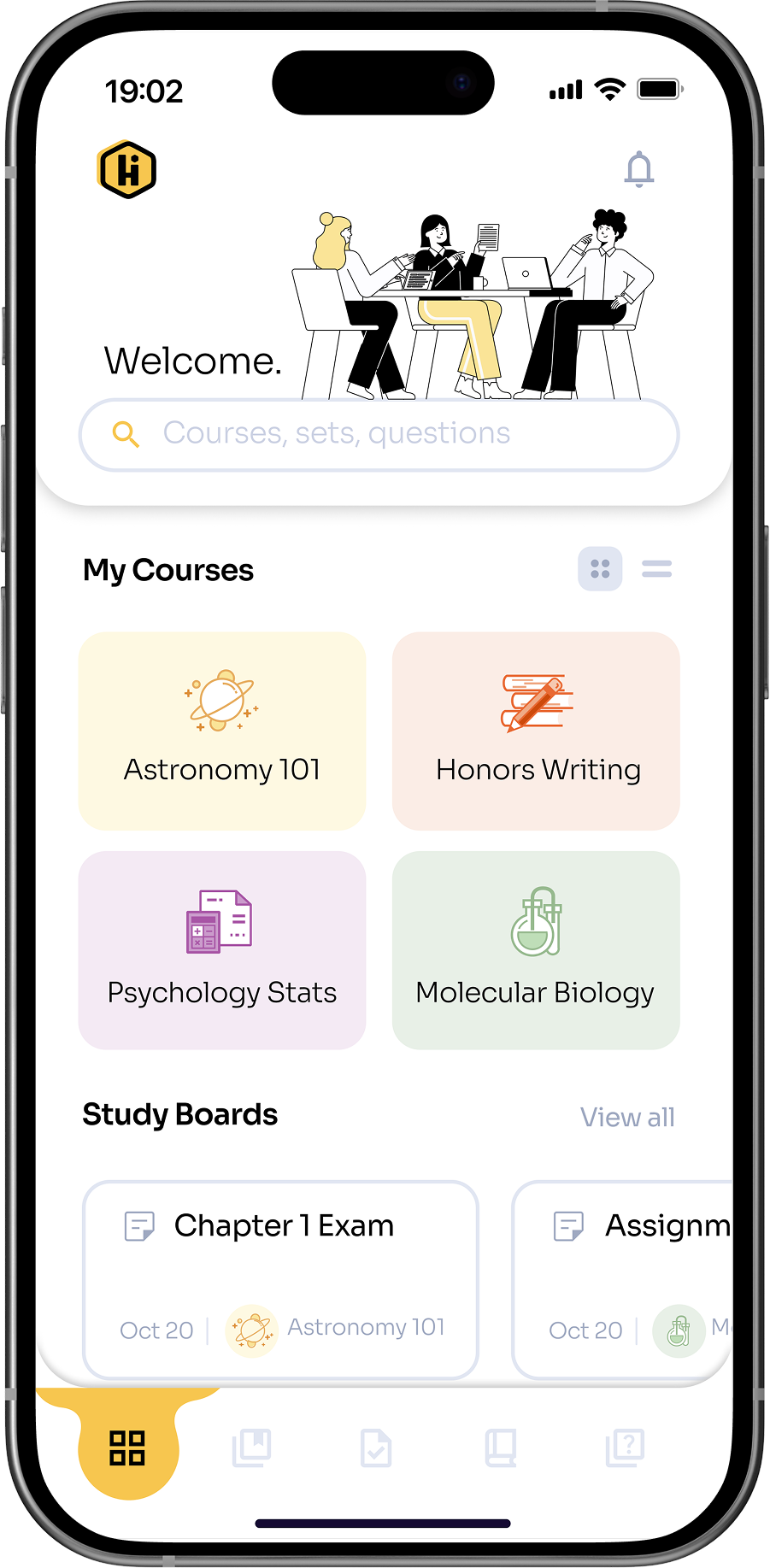
Anonymous Q&A
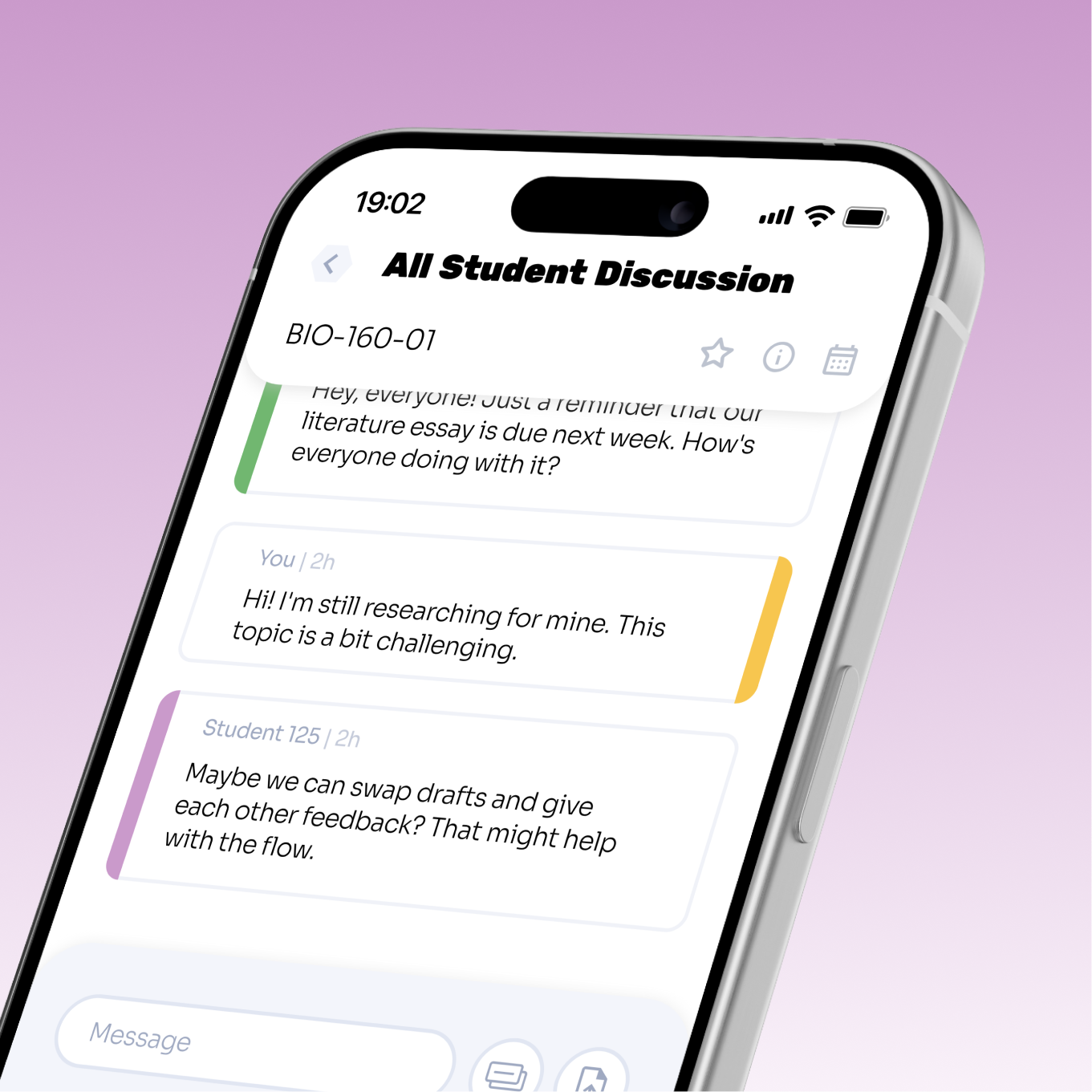
The platform includes an anonymous discussion feature, allowing students to ask questions and participate without revealing their identity. HIVE also provides spaces for students to seek help, share concerns, and receive guidance from peers.
Resource Hub & Planning
HIVE centralizes study materials, lecture notes, and other resources in one accessible location. Scheduling and planning tools help students organize study sessions and track deadlines efficiently.
New Student Onboarding
HIVE centralizes study materials, lecture notes, and other resources in one accessible location. Scheduling and planning tools help students organize study sessions and track deadlines efficiently.
Primary Navigation
Provides a clear structure for accessing key sections: Courses, Study Tools, Community, and Profile. Navigation is designed to be intuitive and consistent across the app.
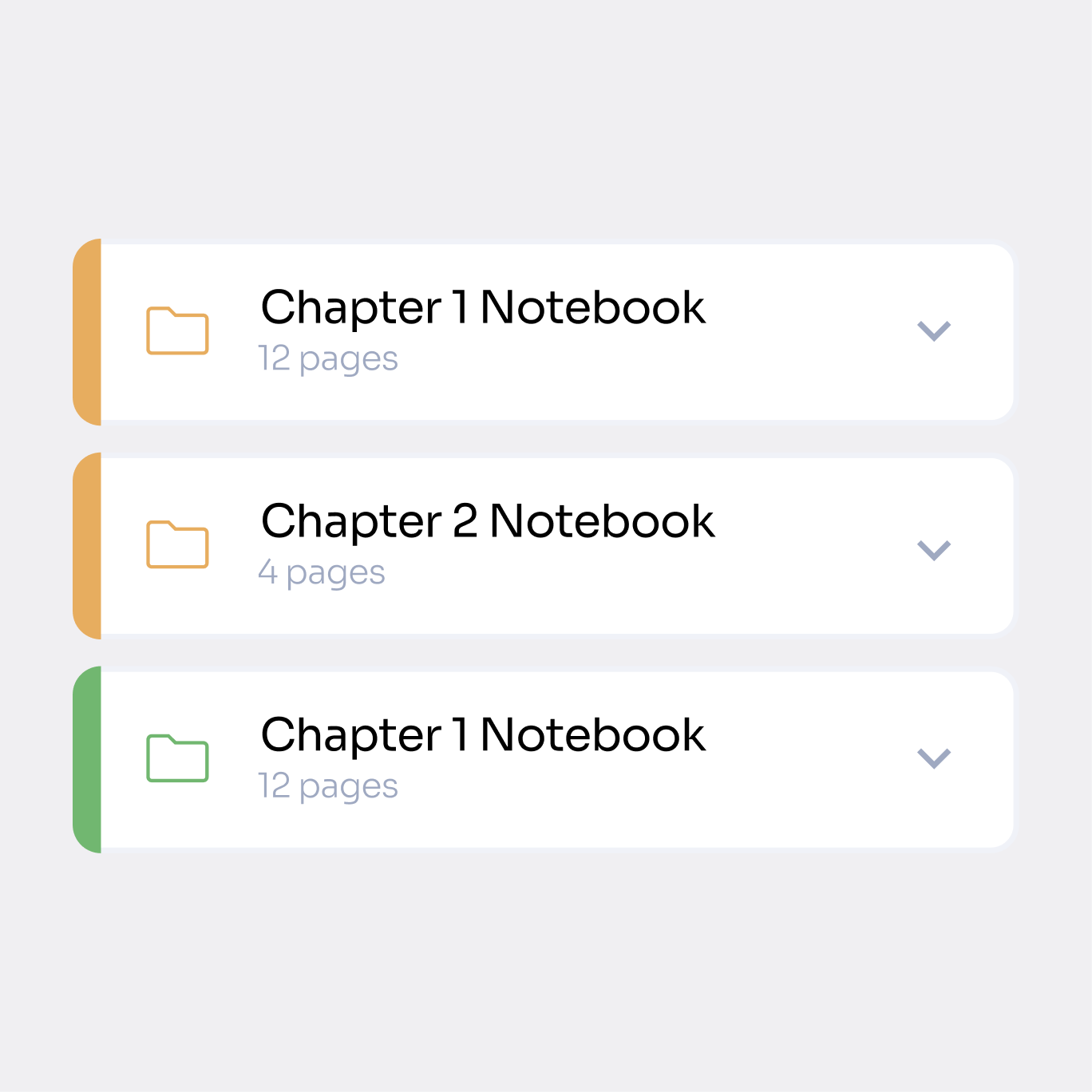
Course Files
Centralized hub for accessing lecture notes, readings, and assignments. Resource views are organized and sortable, reducing disorganization and improving study efficiency.
Resource Views
Allows students to organize course materials by lists, folders, file type, etc. Sorting options make it easy to quickly locate specific files, reducing clutter and improving study efficiency.
Created with care.
ッ I’m happy you’re here. I hope you found something worth taking with you.
Reimagining Student Collaboration
A student-first platform that transforms higher education into a more connected, collaborative, and supportive experience.
Role
Lead Product Designer
Timeline
8 months
Tools
Figma, Adobe Suite
Team
Product Designer
Overview
Setting the stage.
Research and personal experience show that higher education students face significant barriers to effective learning. Many experience academic anxiety, including fear of judgment, self-doubt, and hesitation to participate in class discussions. At the same time, study materials and resources are scattered across multiple platforms, creating disorganization and added stress. Students also have limited opportunities for meaningful peer interaction outside the classroom, making collaboration and social learning difficult. Together, these challenges reduce engagement, hinder productivity, and make the learning experience less supportive overall.
5-Stage Process
Design thinking.
I approached HIVE using the 5-stage Design Thinking model from the Hasso Plattner Institute of Design at Stanford. This framework kept the project user-focused while allowing me to iterate effectively.
Empathize
Research, interviews, and user personas
Define
Insights, value propositions, and prioritization
Ideate
Brainstorming, sketching, and storyboarding
Prototype
Information architecture, wireframing, and prototyping
Test
Usability testing, feedback, and iteration
Thought Organization
Identifying responsibilities.
During the research phase, I conducted interviews with classmates and professors, and analyzed competitors to uncover key pain points and insights.
During ideation, I brainstormed solutions, prioritized features using the MOSCOW model, and developed HIVE’s information architecture. I then created wireframes and interactive prototypes to visualize user flows and core functionalities.
Finally, I conducted usability testing sessions, gathered feedback, and iterated on designs to ensure HIVE was intuitive, engaging, and student-centered. I also defined the visual style and delivered the final polished product.
Key Metrics
Measurable impact.
Existing studies and industry data on student interactions, grades, and class behaviors, inform key user pain points. These insights direct many of the design decisions behind Hive.

84%
of the college students reported that they never ask questions in class.

86%
of the college students reported that they never answer questions in class.
63%
of the college students reported that they never answer questions in class.
Students who indicated they were receiving a C, D, or F reported significantly higher anxiety than those who reported earning an A or B.Students with higher general anxiety were more likely to self-report lower course grades and intentions to leave their major.
Competitor Analysis
Analyzing product competitors.
Existing airport and travel platforms were analyzed to understand how travelers currently access information and navigate terminals. This analysis highlighted areas where a more streamlined, user-centered solution could improve the experience.
Discord
MS Teams
Canvas
GroupMe
Text messaging
Voice messaging
LMS integration
Customize UI
Education focused
Content management
Project management
Study groups
Cross-platform
Institution package
Free for individuals
Top Competitors
Discord
Strengths
- Popular among gamers and communities
- Versatile with text, voice, and video communication
- Customizable UI with themes and integrations
- Wide range of gaming platform integrations
- Free for individual users
Weaknesses
- Primarily for gaming, less suited for professional use
- Limited collaboration and productivity features
- Limited integration with productivity suites
- Interface may feel cluttered
- Limited privacy and security control
Microsoft Teams
Strengths
- Integrated with Microsoft 365
- Designed for professional use
- Robust security and compliance features
- Extensive integration with Microsoft products
- Supports text, voice, and video communication
Weaknesses
- Requires Microsoft 365 subscription
- Complex UI for new users
- Limited customization options
- Limited integration with non-Microsoft apps
- Resource-intensive, may not perform well on older devices
MoSCoW Method
Prioritizing key features.
I applied the MoSCoW method to categorize features based on their importance and feasibility. This framework helped me focus on essential functionalities while keeping track of secondary ideas for potential future development.
Must Have
- Platform for forming study groups
- Anonymous peer interaction
- Structured study environment
Should Have
- Opportunities for peer interaction
- Collaboration on lab assignments
- Efficient note and resource management
Could Have
- Advanced collaboration features
- Personalized study recommendations
- Integration with university resources
Won’t Have
- Social features
- Entertainment content
- Background sounds
User-Informed Action Items
Anonymous Peer Interaction
Research suggested that many students hesitate to ask questions or participate in discussions due to fear of judgment. Anonymous interaction was identified as a way to lower this barrier and encourage more open participation among peers.
Study Tools
Students often rely on multiple disconnected tools to study, creating unnecessary friction. Integrating core study tools into one platform could help streamline review and keep learning resources in a single place.
Study Group Formation
Studies revealed that students frequently struggle to find peers to study with, especially in large courses. Enabling study group formation could make collaboration easier and support peer-driven learning.
In-Class Question Tool
Many students feel uncomfortable speaking up in lectures. Digital interaction tools could provide an alternative way to ask questions and participate in class discussions.
Resource Centralization
Study materials are often scattered across multiple platforms. Centralizing resources could help students stay organized and access course content more efficiently.
Site Map
Information architecture.
To bring clarity and order to the app, I mapped out the hierarchy of content and features. This included structuring how users would navigate between sections, access tools, and move through the experience. The goal was to make information easy to find and interactions intuitive.
Design Direction
Iterations & exploration.
Before moving into high-fidelity design, I created quick sketches of screens and layouts. These low-cost, rapid prototypes allowed me to experiment with different configurations of features, test ideas early, and make adjustments without heavy investment in time or software.
Introducing the solution.
Hive is the result of a complete, user-centered design process.With features carefully crafted to support collaboration, organization, and engagement, Hive empowers students to take control of their learning, connect with peers, and manage academic stress more effectively.
This final product reflects a thoughtful integration of research, ideation, and iteration, showcasing a platform designed around students’ needs and behaviors.
Study Groups & Collaboration
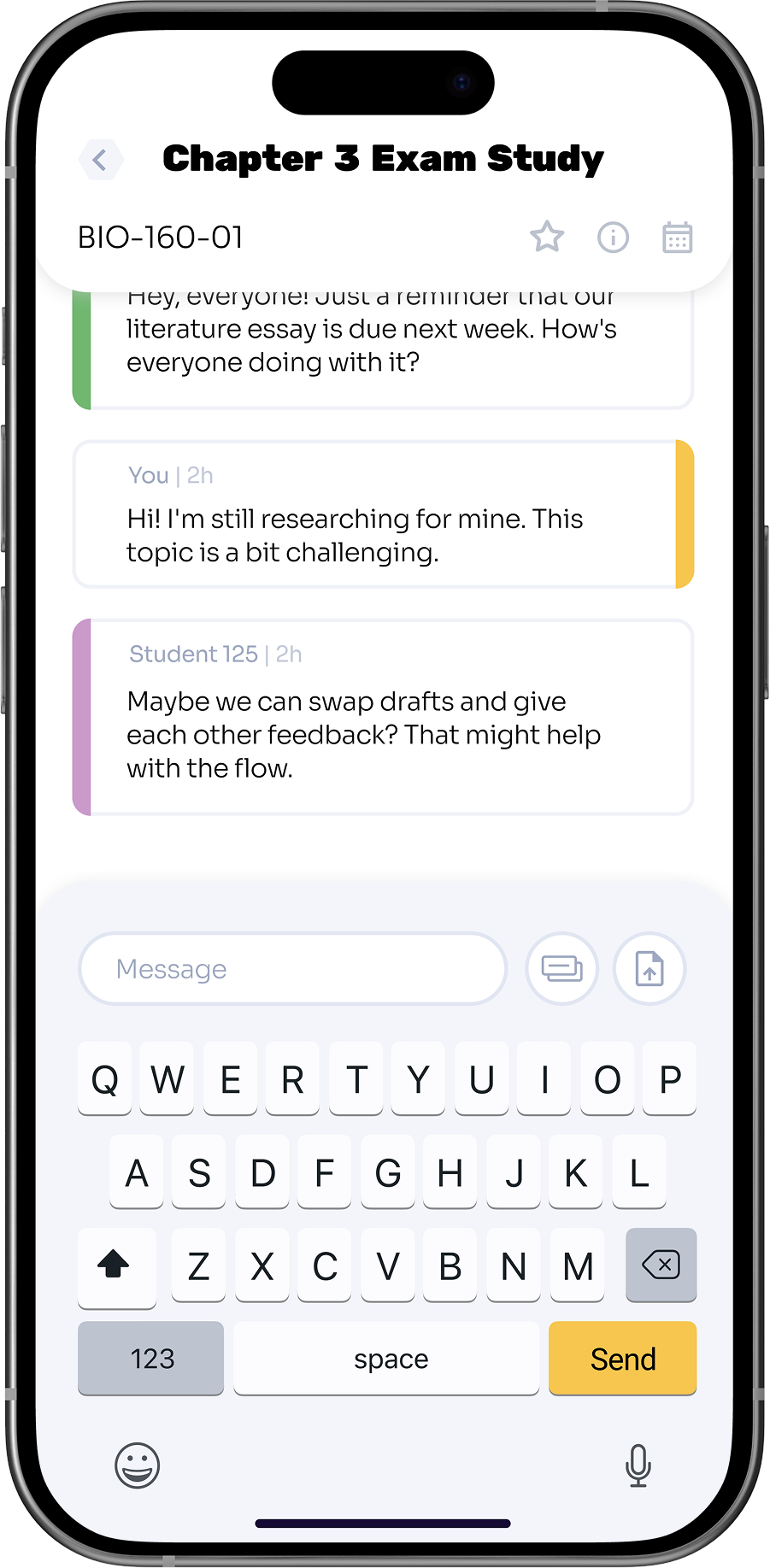
HIVE provides students with tools to connect and communicate with peers outside the classroom. Study groups can be created, shared resources are easy to access, and discussion features allow students to collaborate on assignments, projects, and exam preparation.
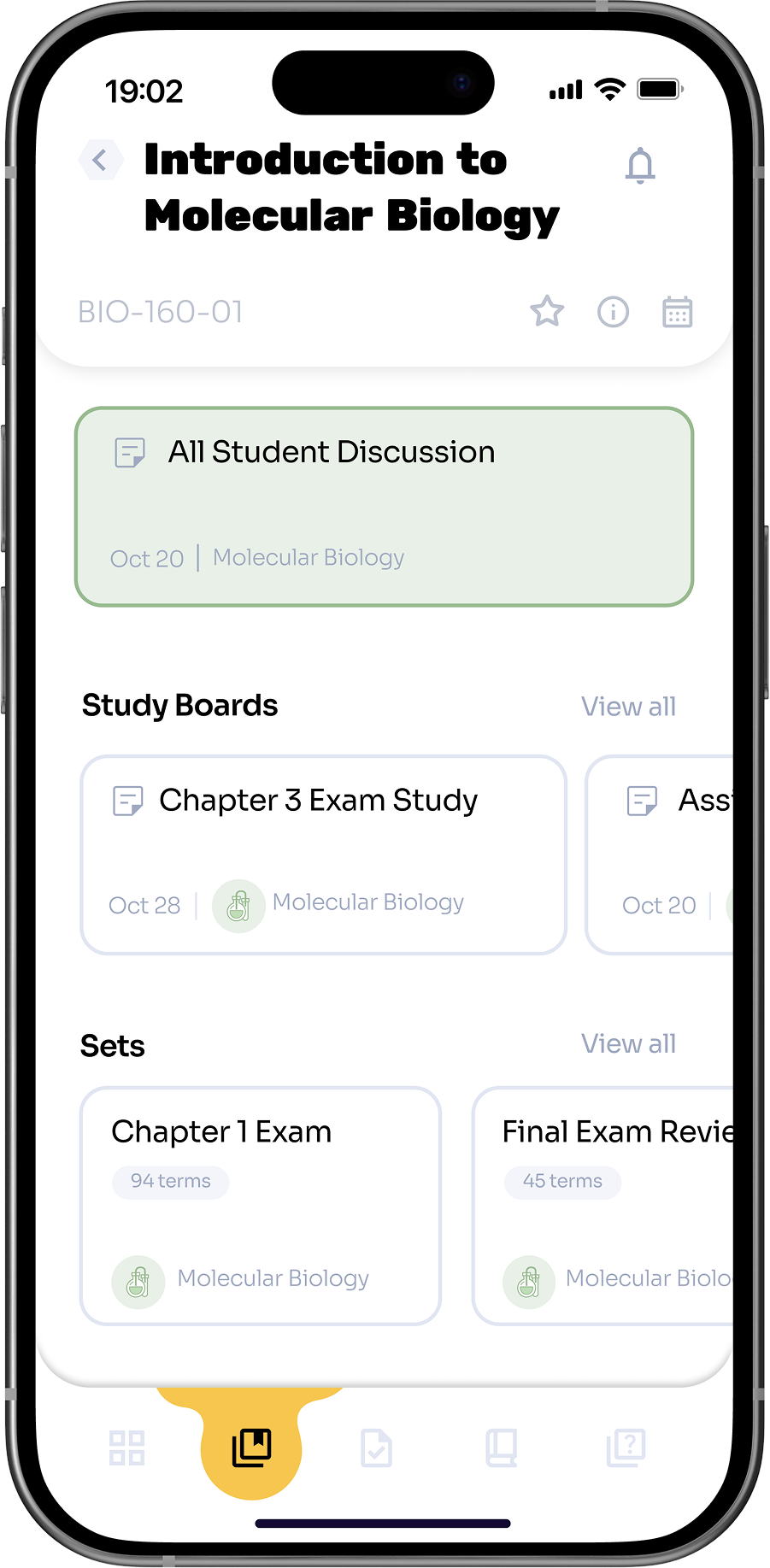
Anonymous Q&A
The platform includes an anonymous discussion feature, allowing students to ask questions and participate without revealing their identity. HIVE also provides spaces for students to seek help, share concerns, and receive guidance from peers.
Resource Hub & Planning
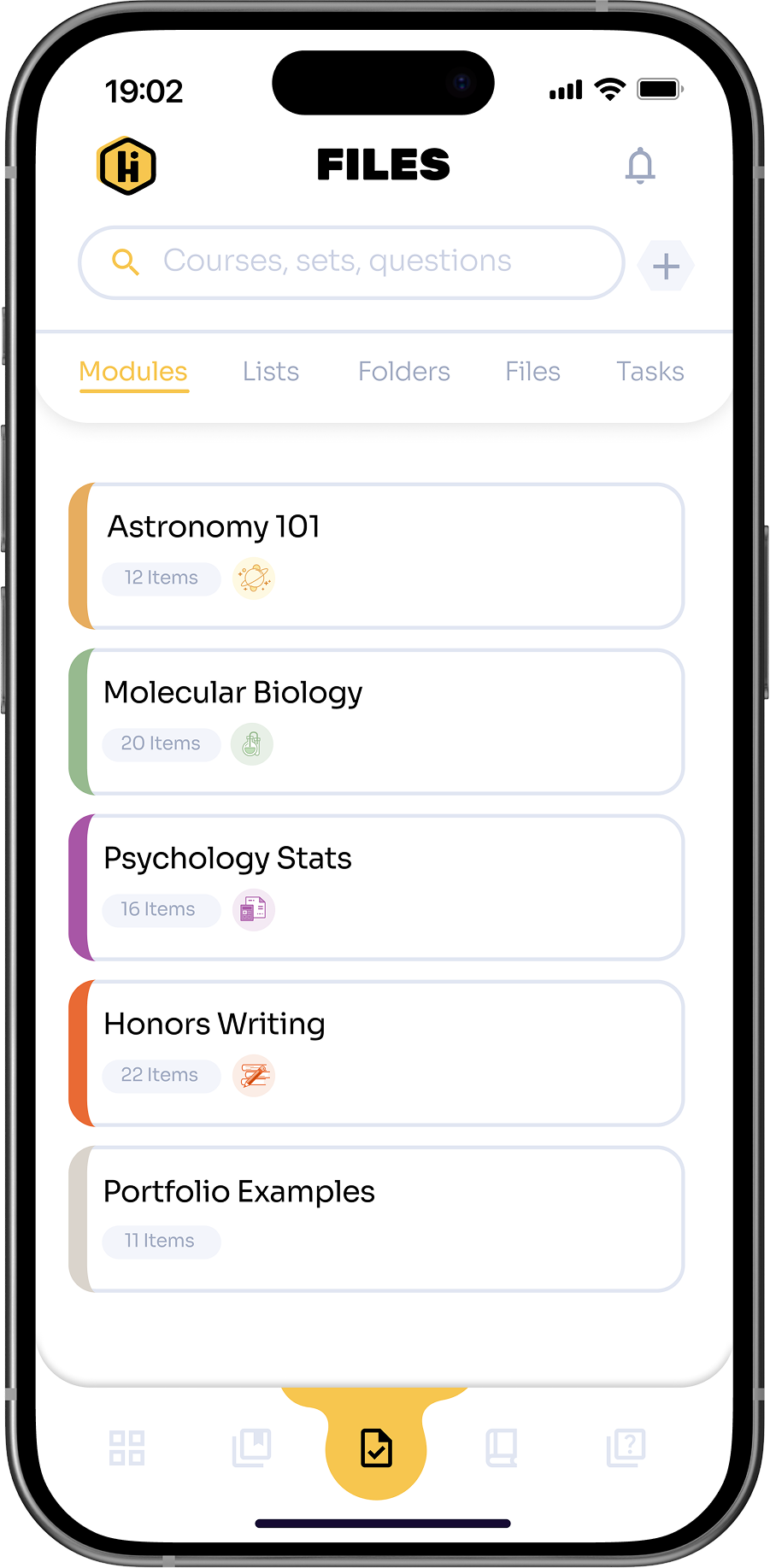
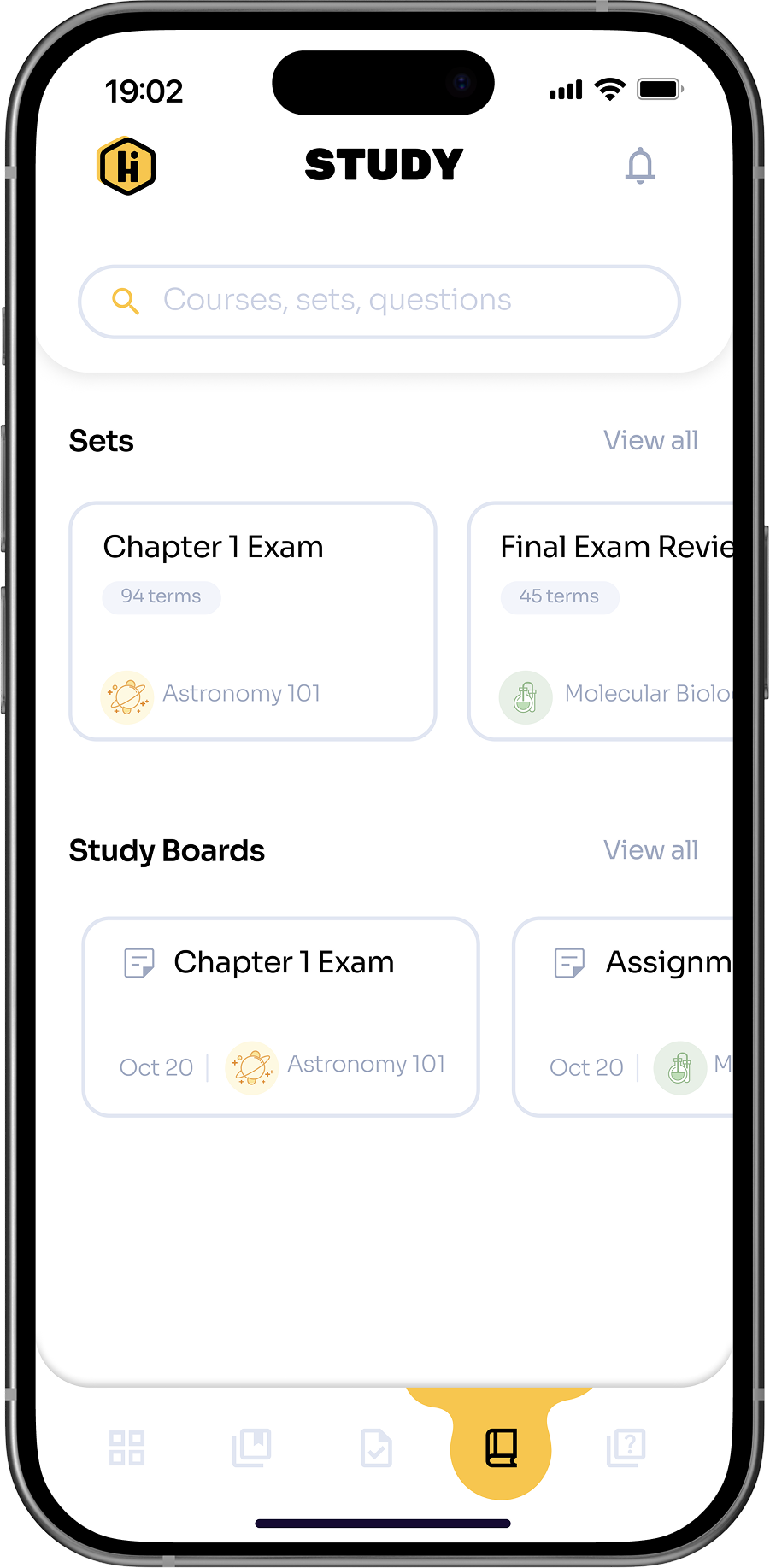
HIVE centralizes study materials, lecture notes, and other resources in one accessible location. Scheduling and planning tools help students organize study sessions and track deadlines efficiently.
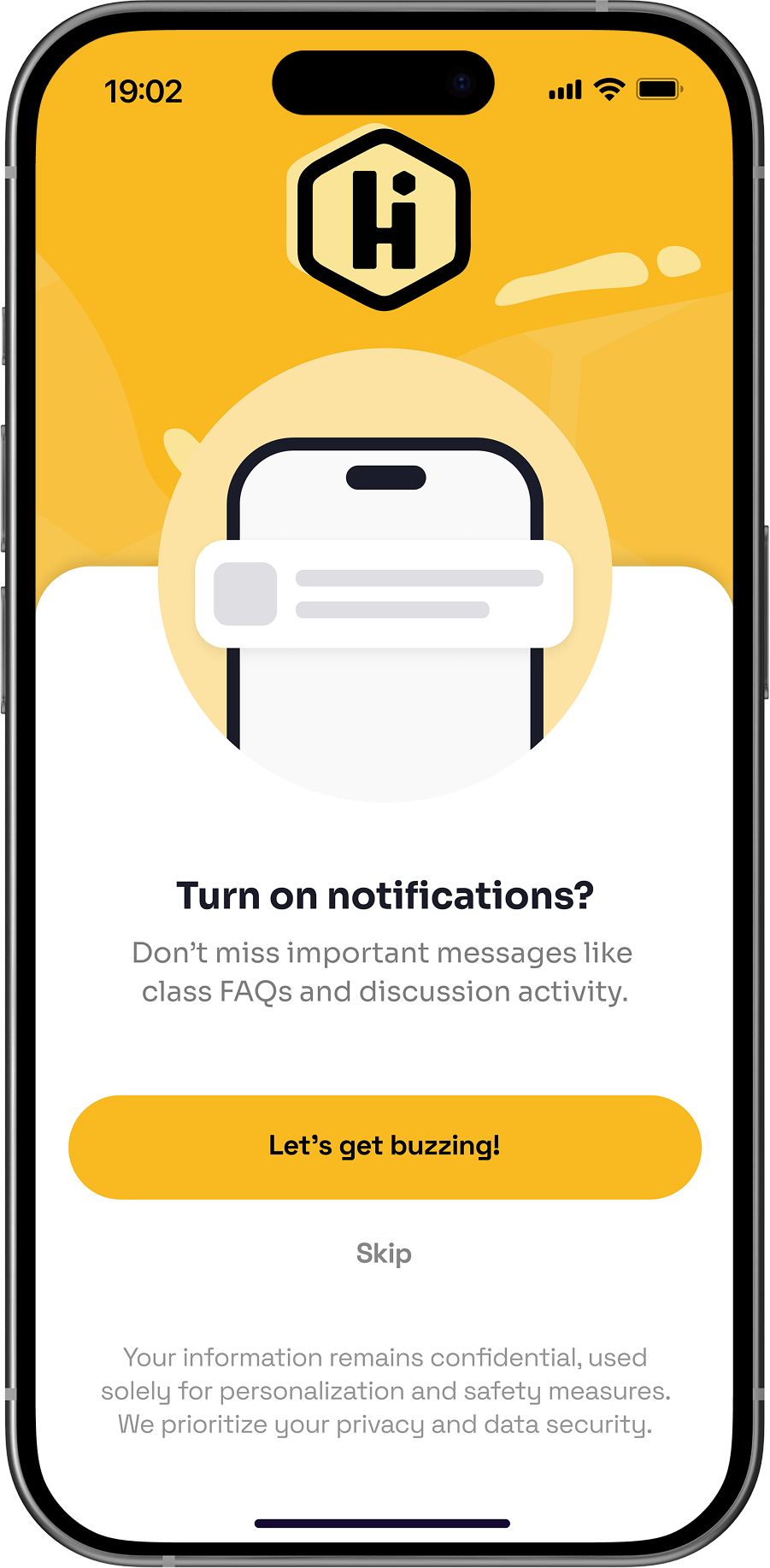
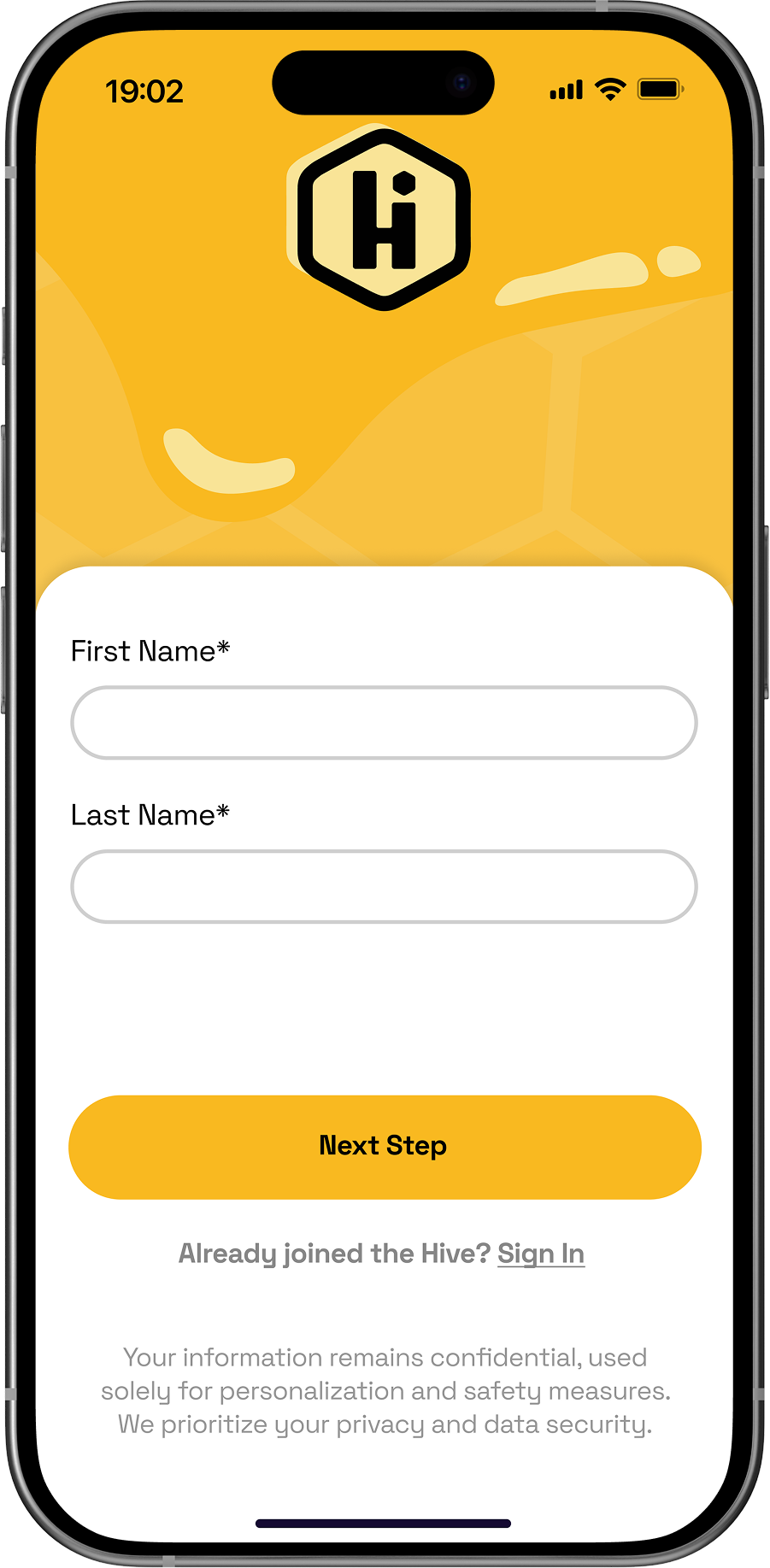
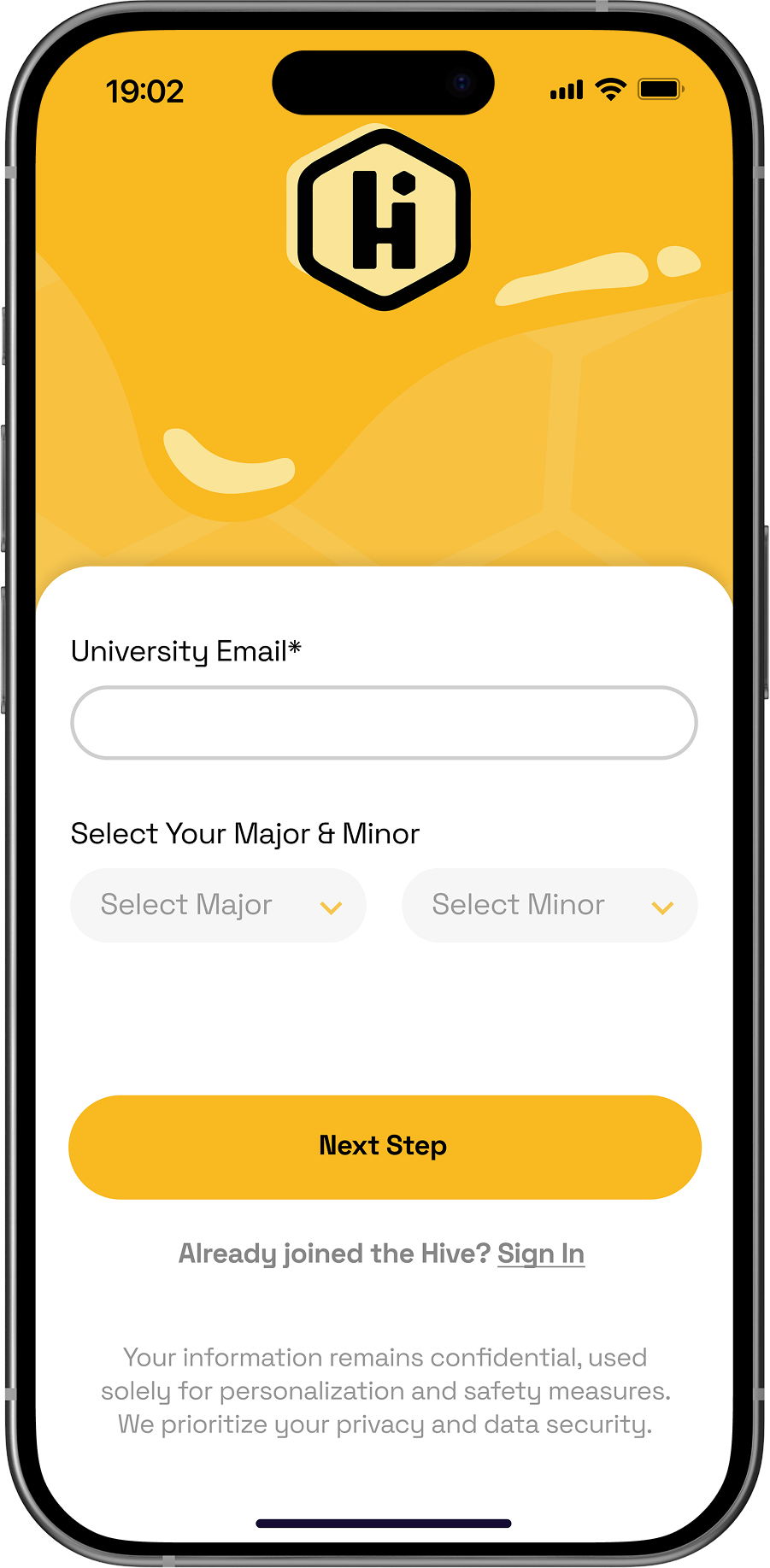
New Student Onboarding
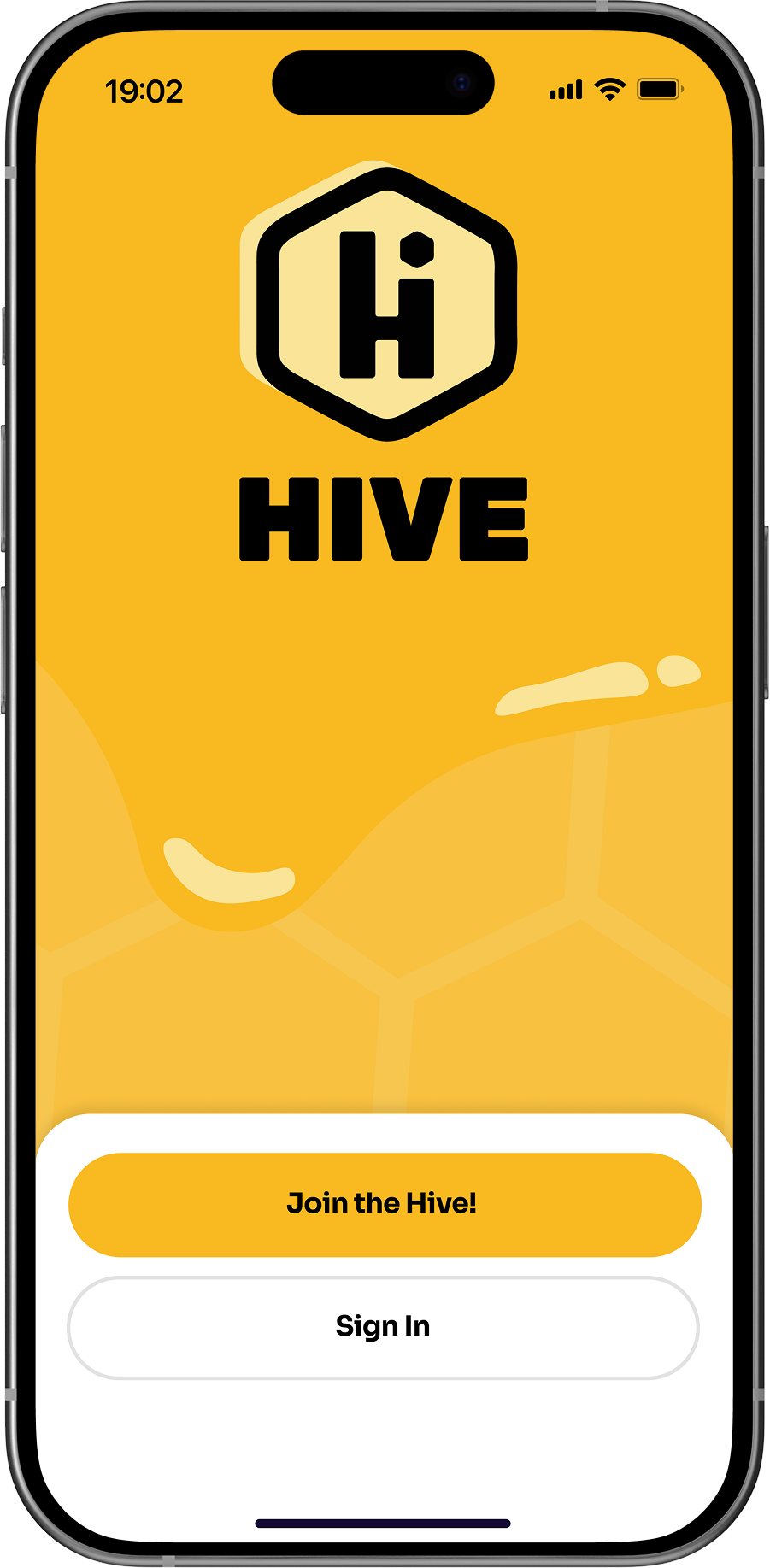
HIVE centralizes study materials, lecture notes, and other resources in one accessible location. Scheduling and planning tools help students organize study sessions and track deadlines efficiently.
Primary Navigation
Provides a clear structure for accessing key sections: Courses, Study Tools, Community, and Profile. Navigation is designed to be intuitive and consistent across the app.
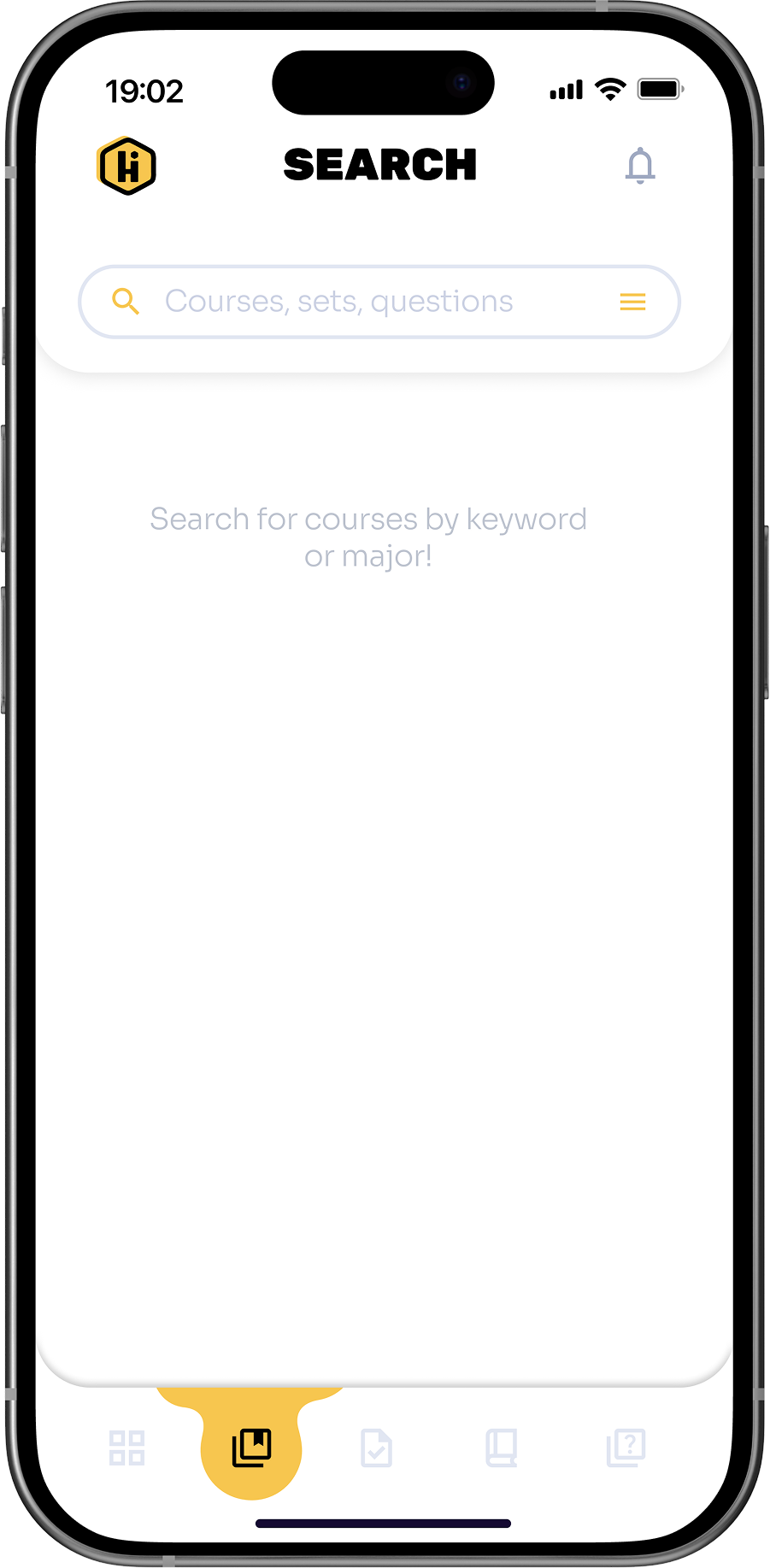
Course Files
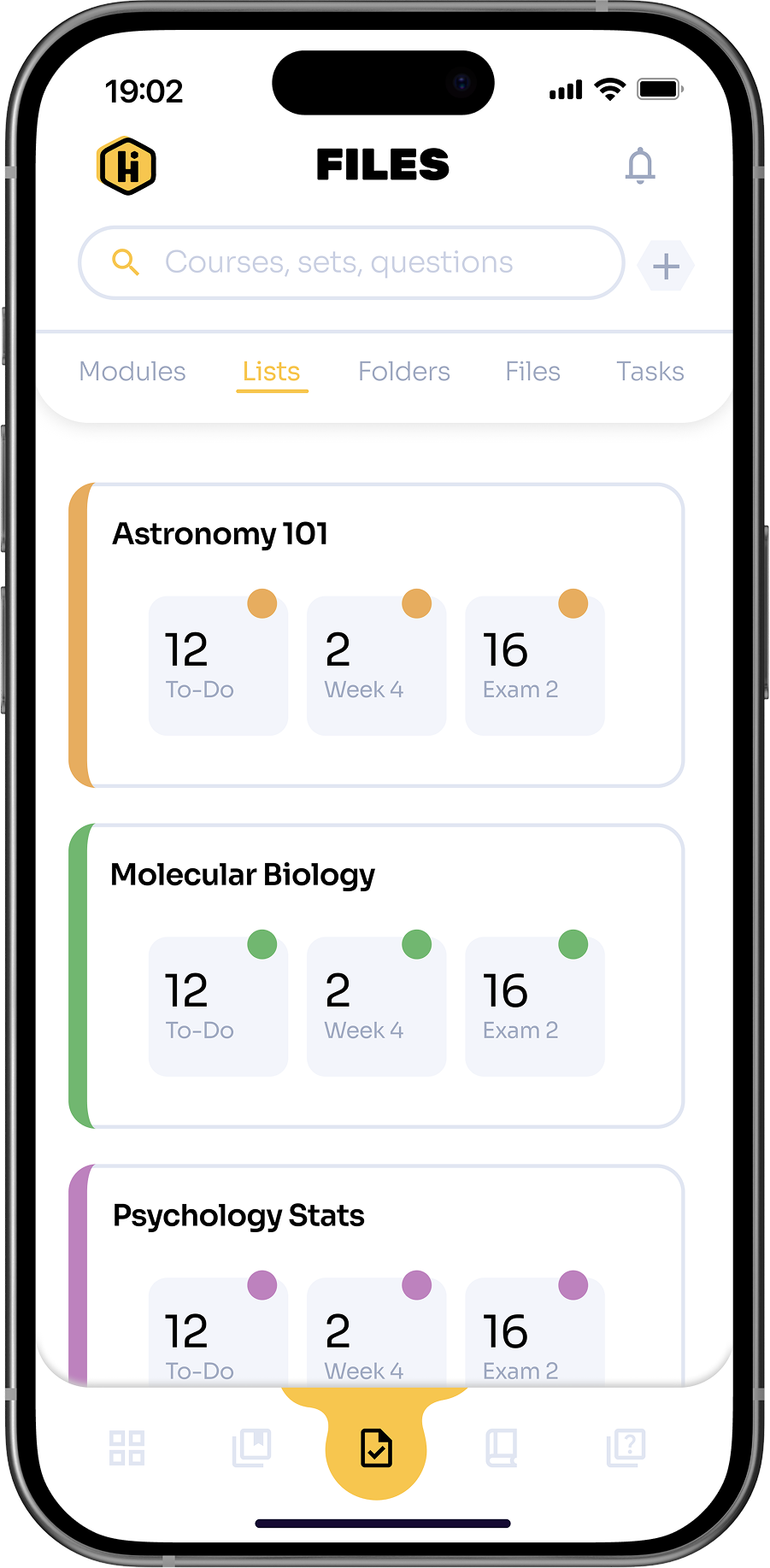
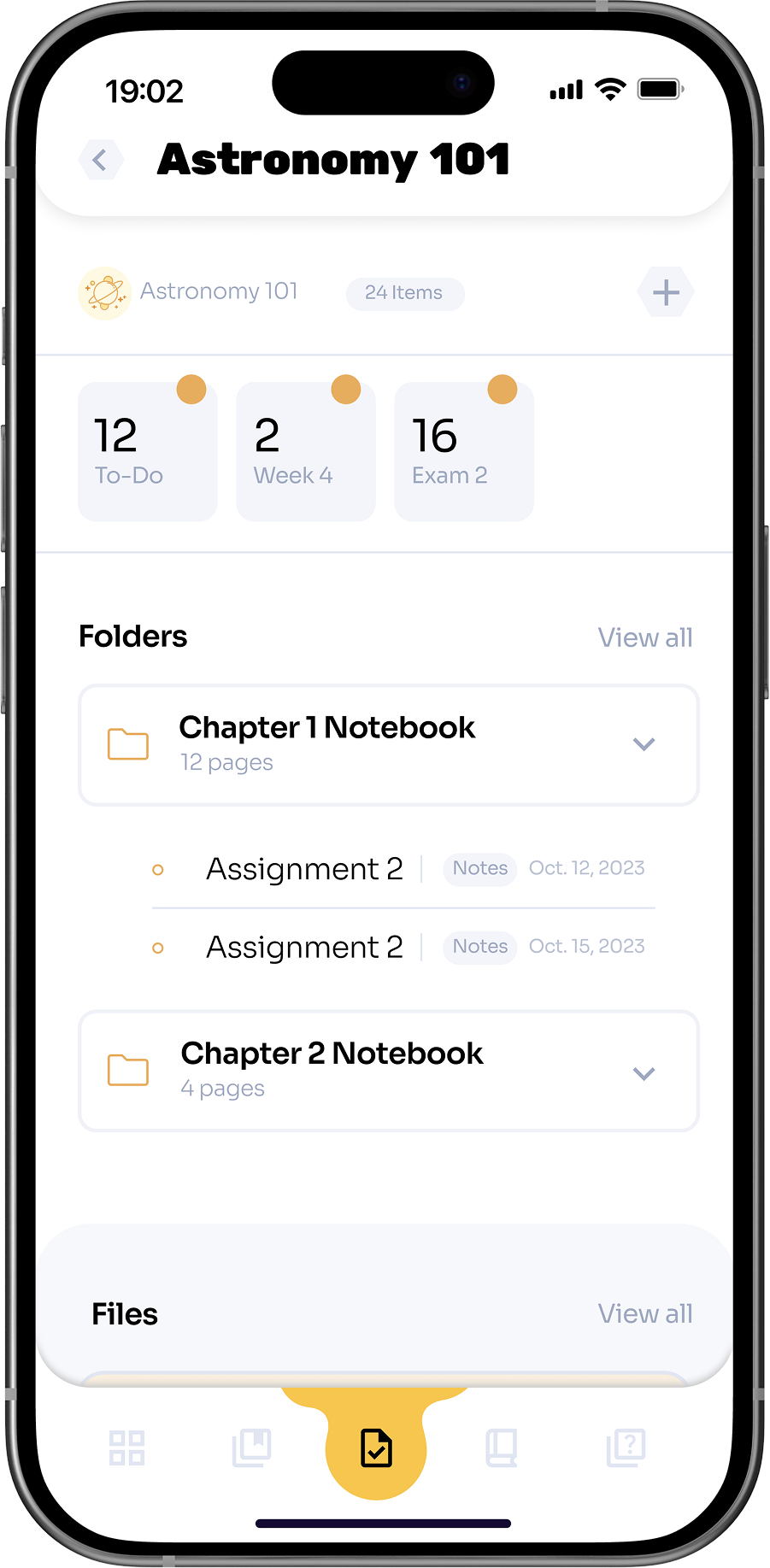
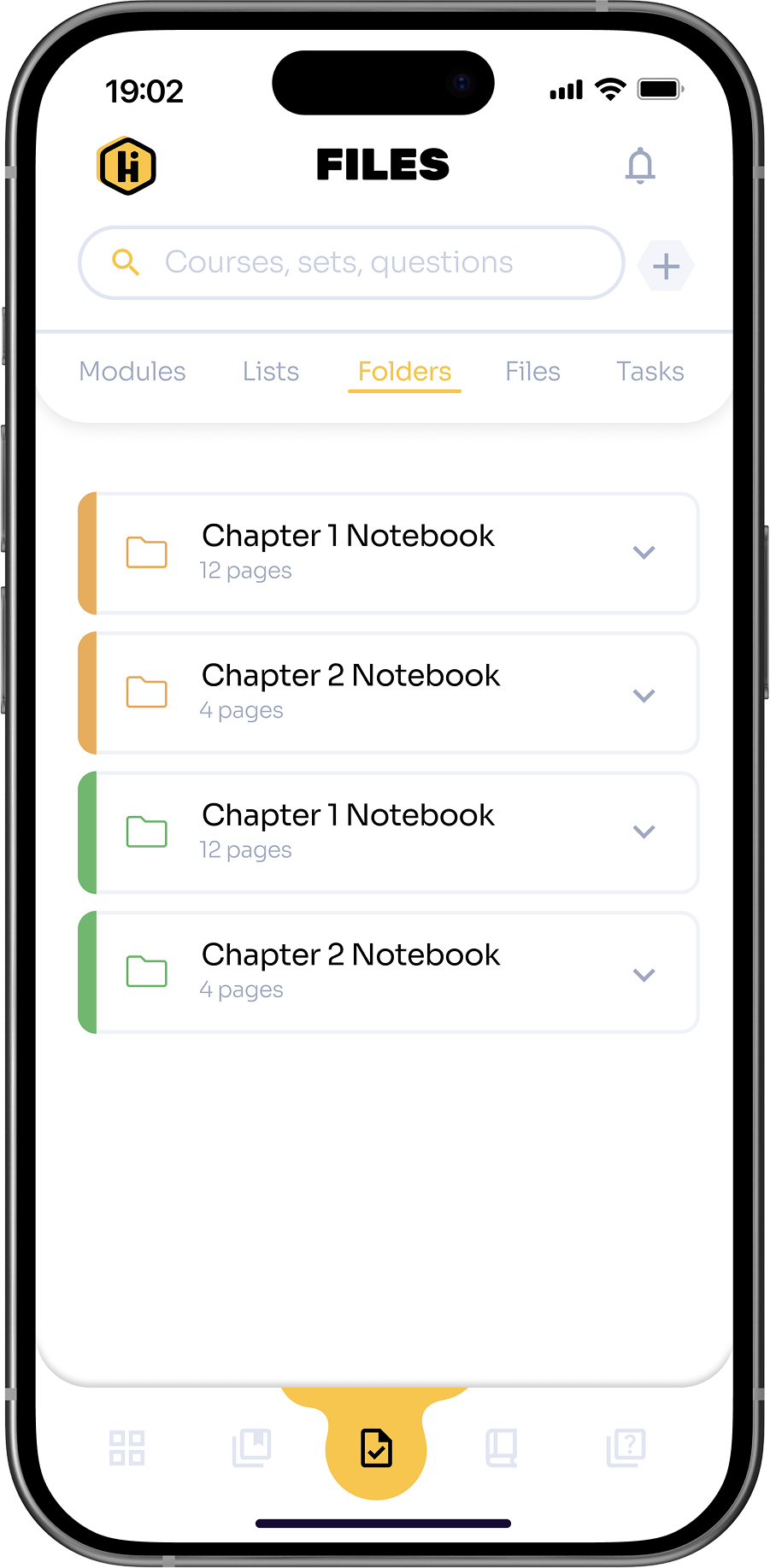
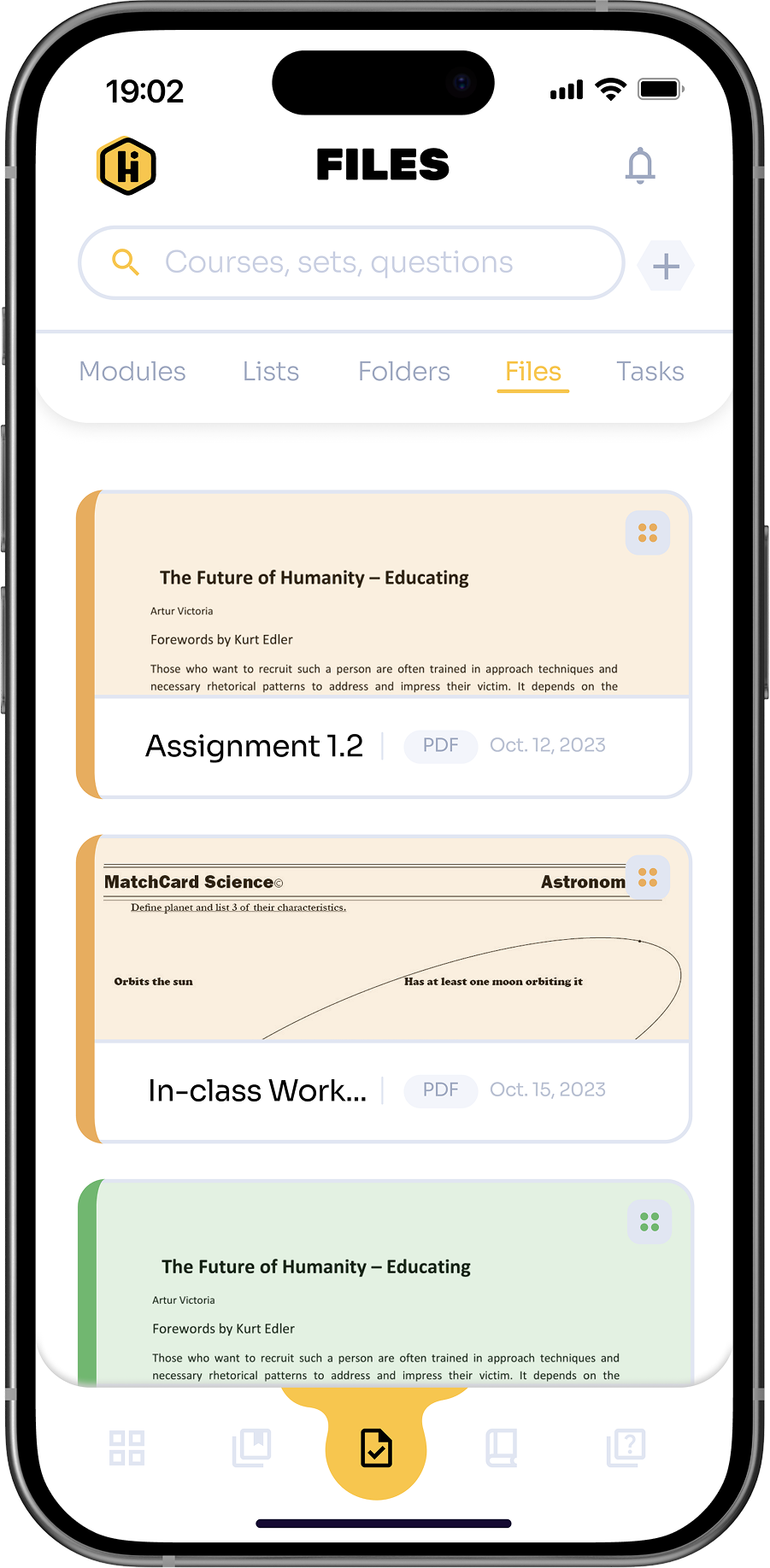
Centralized hub for accessing lecture notes, readings, and assignments. Resource views are organized and sortable, reducing disorganization and improving study efficiency.
Resource Views
Allows students to organize course materials by lists, folders, file type, etc. Sorting options make it easy to quickly locate specific files, reducing clutter and improving study efficiency.
Created with care.
ッ I’m happy you’re here. I hope you found something worth taking with you.
Reimagining Student Collaboration
A student-first platform that transforms higher education into a more connected, collaborative, and supportive experience.
Role
Lead Product Designer
Timeline
8 months
Tools
Figma, Adobe Suite
Team
Product Designer
Overview
Setting the stage.
Research and personal experience show that higher education students face significant barriers to effective learning. Many experience academic anxiety, including fear of judgment, self-doubt, and hesitation to participate in class discussions. At the same time, study materials and resources are scattered across multiple platforms, creating disorganization and added stress. Students also have limited opportunities for meaningful peer interaction outside the classroom, making collaboration and social learning difficult. Together, these challenges reduce engagement, hinder productivity, and make the learning experience less supportive overall.
5-Stage Process
Design thinking.
I approached HIVE using the 5-stage Design Thinking model from the Hasso Plattner Institute of Design at Stanford. This framework kept the project user-focused while allowing me to iterate effectively.
Empathize
Research, interviews, and user personas
Define
Insights, value propositions, and prioritization
Ideate
Brainstorming, sketching, and storyboarding
Prototype
Information architecture, wireframing, and prototyping
Test
Usability testing, feedback, and iteration
Thought Organization
Identifying responsibilities.
During the research phase, I conducted interviews with classmates and professors, and analyzed competitors to uncover key pain points and insights.
During ideation, I brainstormed solutions, prioritized features using the MOSCOW model, and developed HIVE’s information architecture. I then created wireframes and interactive prototypes to visualize user flows and core functionalities.
Finally, I conducted usability testing sessions, gathered feedback, and iterated on designs to ensure HIVE was intuitive, engaging, and student-centered. I also defined the visual style and delivered the final polished product.
Key Metrics
Measurable impact.
Existing studies and industry data on student interactions, grades, and class behaviors, inform key user pain points. These insights direct many of the design decisions behind Hive.
84%
of the college students reported that they never ask questions in class.
86%
of the college students reported that they never answer questions in class.
63%
of the college students reported that they never answer questions in class.
Students who indicated they were receiving a C, D, or F reported significantly higher anxiety than those who reported earning an A or B.Students with higher general anxiety were more likely to self-report lower course grades and intentions to leave their major.
Competitor Analysis
Analyzing product competitors.
Existing airport and travel platforms were analyzed to understand how travelers currently access information and navigate terminals. This analysis highlighted areas where a more streamlined, user-centered solution could improve the experience.
Discord
Microsoft Teams
Canvas
GroupMe
Text messaging
Voice messaging
LMS integration
Customize UI
Education focused
Content management
Project management
Study groups
Cross-platform
Institution package
Free for individuals
Top Competitors
Discord
Strengths
- Popular among gamers and communities
- Versatile with text, voice, and video communication
- Customizable UI with themes and integrations
- Wide range of gaming platform integrations
- Free for individual users
Weaknesses
- Primarily for gaming, less suited for professional use
- Limited collaboration and productivity features
- Limited integration with productivity suites
- Interface may feel cluttered
- Limited privacy and security control
Microsoft Teams
Strengths
- Integrated with Microsoft 365
- Designed for professional use
- Robust security and compliance features
- Extensive integration with Microsoft products
- Supports text, voice, and video communication
Weaknesses
- Requires Microsoft 365 subscription
- Complex UI for new users
- Limited customization options
- Limited integration with non-Microsoft apps
- Resource-intensive, may not perform well on older devices
MoSCoW Method
Prioritizing key features.
I applied the MoSCoW method to categorize features based on their importance and feasibility. This framework helped me focus on essential functionalities while keeping track of secondary ideas for potential future development.
Must Have
- Platform for forming study groups
- Anonymous peer interaction
- Structured study environment
Should Have
- Opportunities for peer interaction
- Collaboration on lab assignments
- Efficient note and resource management
Could Have
- Advanced collaboration features
- Personalized study recommendations
- Integration with university resources
Won’t Have
- Social features
- Entertainment content
- Background sounds
User-Informed Action Items
Anonymous Peer Interaction
Research suggested that many students hesitate to ask questions or participate in discussions due to fear of judgment. Anonymous interaction was identified as a way to lower this barrier and encourage more open participation among peers.
Study Tools
Students often rely on multiple disconnected tools to study, creating unnecessary friction. Integrating core study tools into one platform could help streamline review and keep learning resources in a single place.
Study Group Formation
Studies revealed that students frequently struggle to find peers to study with, especially in large courses. Enabling study group formation could make collaboration easier and support peer-driven learning.
In-Class Question Tool
Many students feel uncomfortable speaking up in lectures. Digital interaction tools could provide an alternative way to ask questions and participate in class discussions.
Resource Centralization
Study materials are often scattered across multiple platforms. Centralizing resources could help students stay organized and access course content more efficiently.
Site Map
Information architecture.
To bring clarity and order to the app, I mapped out the hierarchy of content and features. This included structuring how users would navigate between sections, access tools, and move through the experience. The goal was to make information easy to find and interactions intuitive.
Design Direction
Iterations & exploration.
Before moving into high-fidelity design, I created quick sketches of screens and layouts. These low-cost, rapid prototypes allowed me to experiment with different configurations of features, test ideas early, and make adjustments without heavy investment in time or software.
Introducing the solution.
Hive is the result of a complete, user-centered design process.With features carefully crafted to support collaboration, organization, and engagement, Hive empowers students to take control of their learning, connect with peers, and manage academic stress more effectively.
This final product reflects a thoughtful integration of research, ideation, and iteration, showcasing a platform designed around students’ needs and behaviors.
Study Groups & Collaboration
HIVE provides students with tools to connect and communicate with peers outside the classroom. Study groups can be created, shared resources are easy to access, and discussion features allow students to collaborate on assignments, projects, and exam preparation.
Anonymous Q&A
The platform includes an anonymous discussion feature, allowing students to ask questions and participate without revealing their identity. HIVE also provides spaces for students to seek help, share concerns, and receive guidance from peers.
Resource Hub & Planning
HIVE centralizes study materials, lecture notes, and other resources in one accessible location. Scheduling and planning tools help students organize study sessions and track deadlines efficiently.
New Student Onboarding
HIVE centralizes study materials, lecture notes, and other resources in one accessible location. Scheduling and planning tools help students organize study sessions and track deadlines efficiently.
Primary Navigation
Provides a clear structure for accessing key sections: Courses, Study Tools, Community, and Profile. Navigation is designed to be intuitive and consistent across the app.
Course Files
Centralized hub for accessing lecture notes, readings, and assignments. Resource views are organized and sortable, reducing disorganization and improving study efficiency.
Resource Views
Allows students to organize course materials by lists, folders, file type, etc. Sorting options make it easy to quickly locate specific files, reducing clutter and improving study efficiency.
Created with care.
ッ I’m happy you’re here. I hope you found something worth taking with you.